How to Run a YouTube Channel Without Doing It Yourself: The Complete Outsourcing Guide
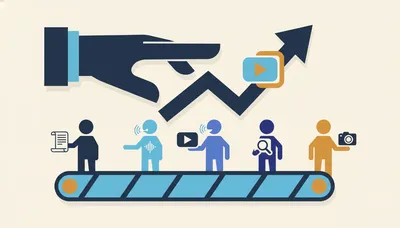
How to Run a YouTube Channel Without Doing It Yourself: The Complete Outsourcing Guide
A practical, step-by-step guide to building and running a profitable YouTube channel by hiring human freelancers for every major role — scriptwriters, voice actors, video editors, thumbnail designers, and more. This course covers niche selection, team building, quality control, and channel growth without requiring you to be on camera or do the production work yourself. No AI shortcuts, no vague promises — just real systems for real channels.
Sign up free to unlock:
- Resume-where-you-stopped listening
- Request & vote on new courses
- Save courses for later listening
- Get personalized recommendations
Already have an account? Log in
Chapters
Click play to listen, or tap a chapter to read its transcript.
1Introduction
Somewhere between ten and forty hours a week disappears into a single YouTube channel. That's not a warning — it's just the math. Research, scripting, recording, editing, thumbnails, titles, descriptions, tags, upload, repeat. Most people who start these channels don't burn out because the work is hard. They burn out because the work is all of it, all the time, with no wall between the thing they wanted to build and the machinery required to build it.
There is a different way to run this. But it starts with an idea that feels slightly wrong the first time you hear it: a YouTube channel is not a performance. It is a production business. And that raises the question this entire course is going to settle — not just whether you can remove yourself from the daily grind of content production, but how you build something that runs without you doing every job, and still sounds like it belongs to a single coherent voice.
Later in this course, there's a moment worth holding onto. Picture a channel operator who has done everything right — hired a sharp scriptwriter, found a voice actor who sounds like a Netflix documentary, signed on a talented editor. The thumbnails look great. And yet, every single week, something slips. The editor is waiting on audio the voice actor hasn't delivered. The scriptwriter submitted a draft, but nobody told the editor it was approved. The operator spends Sunday evening sending eight different messages trying to figure out where everything is. The channel is technically staffed. It just isn't running. That gap — between having good people and having a functioning team — is exactly where most outsourced channels quietly fail.
There's also a harder truth buried in the analytics section: somewhere around video thirty or forty, most operators discover that the videos they were most proud of aren't the ones performing. Some throwaway piece is sitting on twice the watch time of everything else. That gap between instinct and reality is the gap analytics exists to close — and this course shows you how to translate what the numbers are actually saying into better briefs for every person on your team.
And then there's the thumbnail finding, which is the kind of thing that sounds obvious until you do the math on it. Click-through rate is the single biggest lever on whether a YouTube channel lives or dies — and the number one driver of click-through rate isn't title, isn't SEO, isn't even the quality of the video. It's whether someone stops scrolling long enough to click.
Every role on the production team, every quality control system, every feedback loop — it all gets built here, from the org chart outward. By the end, you'll understand exactly how to run a media business that doesn't require you to be the performer, the writer, the editor, and the strategist all at once.
2What Is a Faceless YouTube Channel and How Does the Outsourced Model Work
Somewhere between ten and forty hours a week disappears into a single YouTube channel. Research, scripting, recording, editing, thumbnail work, titles, descriptions, tags, upload, respond to comments — repeat, forever, or until you burn out. Most people who start YouTube channels don't burn out because the work is hard. They burn out because the work is all of it, all the time, with no separation between the thing they wanted to build and the machinery required to build it.
There is a different way to run this. And understanding it starts with a single, unfamiliar idea: a YouTube channel is not a performance. It is a production business.
That distinction is going to do a lot of work over the course of this guide, so it's worth sitting with it for a moment before moving on to the practical details.
Think about how a television documentary gets made. There's a person — an executive producer, or a showrunner — whose name might appear in the credits, who shaped the vision, who decided what stories get told and how. But that person did not operate the camera. They did not sit in an edit bay at two in the morning color-grading footage. They did not design the title cards. They were directing a machine made of specialists, each of whom was better at their specific job than the showrunner could ever be. The result was something none of them could have made alone. That's the model. That's what this guide is about.
The six key areas this section covers: what a creator is versus what an operator is, what a fully outsourced channel actually looks like in practice, which formats make outsourcing easiest, what the real cost and time commitment looks like, why hiring specialists beats doing everything yourself if you lack production skills, and the progression that most successful operators actually follow.
Start with the creator-versus-operator distinction, because getting this wrong is the single most common reason outsourcing fails.
A creator's identity is bound to the product. They perform, or they write, or they're on screen — the channel's value lives partly in them as a person. That's a legitimate model. Personal brand channels with on-camera hosts can be enormously successful. But it's also a model with a ceiling, because everything bottlenecks through one person. When the creator is sick, the channel stops. When the creator is bored with the topic, the channel drifts. When the creator gets a day job or a new baby or a change of heart, the channel dies.
An operator, by contrast, treats the channel the way a business owner treats their business — as a system that runs on inputs, processes, and outputs, and that can continue functioning even when the operator is not personally executing every step. According to Red11 Media's breakdown of YouTube outsourcing, this shift — from solo creator to team leader — marks a critical turning point in long-term channel success. The operator's job is direction, curation, quality control, and strategy. Not execution.
This doesn't mean the operator is absent or hands-off. It means the operator is doing different work — work that only they can do, or work that multiplies value across everything the team produces. The creator-versus-operator distinction is not about how involved you are. It's about where you apply that involvement.
Now, what does this actually look like in practice?
A fully outsourced YouTube channel has five core roles, and understanding each one helps you see the full picture before you start hiring anyone. The scriptwriter researches topics and produces finished scripts — written for the ear, not the eye, which is a very particular skill. The voice actor reads those scripts and delivers the audio track that becomes the channel's "voice," often the single biggest factor in how professional the channel sounds. The video editor takes that audio, pairs it with visuals — stock footage, screen recordings, motion graphics, whatever the format calls for — and produces a finished video file. The thumbnail designer creates the image that appears in search results and on the YouTube homepage, which determines whether anyone clicks on the video at all. And the SEO and metadata manager handles the title, description, tags, and optimization work that helps YouTube understand what each video is about and who to show it to.
Five roles. Five specialists. Each one narrower and more skilled in their domain than any generalist — including you — could be while also doing all the other jobs. As the Ali Abdaal team has documented in their outsourcing framework, outsourcing these tasks doesn't just free up time — it often improves quality, because professionals understand pacing, retention psychology, and audience behavior in ways that a solo creator pulling a twelve-hour editing session simply cannot.
The operator's role in this structure is to provide direction — the topic pipeline, the creative brief, the quality review, the strategy decisions. The freelancers execute. The operator approves and iterates. That's the basic machine.
Now let's talk about what makes certain YouTube formats particularly well-suited to this model.
Faceless YouTube channels — channels where no human appears on camera — are the natural home of the outsourced model. Not because they're easier (many are extremely high-quality productions), but because there's no on-camera talent dependency. The channel's identity isn't built around a face or a personality. It's built around a topic, a format, and a consistent production style. That makes every role fully separable and fully delegatable.
The formats that work best in this model share one key characteristic: they're built around narrated audio and matched visuals, rather than live performance or spontaneity. Narrated documentary channels — think deep-dives into historical events, true crime cases, or biographical profiles — follow a clear scripted structure that a skilled writer can produce from research without ever appearing on screen. Listicle channels — "top ten" and ranked-countdown formats — are similarly scriptable and have dominated certain niches for years because the format is predictable, the viewer knows what they're getting, and the production can be templated. Explainer videos, which break down complex topics in finance, science, technology, or health, are built for scripted narration because the whole point is clarity and pedagogy — not personality. And finally, compilation and analysis channels that curate and contextualize third-party content can work within this framework, though copyright and monetization rules apply differently, and that's a subject for a later section.
The common thread across all these formats: a skilled writer can produce a script from research alone, a voice actor can deliver it without knowing the operator, and an editor can pair audio with visuals without ever needing to film anything. That's the structural reason these formats outsource cleanly.
Here is where most people who've heard about "YouTube automation" need a correction.
YouTube automation is not passive income. Full stop. The term gets thrown around in a way that implies you set up the system once and money flows in while you sleep. That's a fantasy, and believing it leads to either disappointment or abandoned channels. What automation actually means — in the sense that serious operators use the term — is structured outsourcing. You are building a production pipeline with humans at each stage, and you are managing that pipeline. That management takes real time and real attention.
Red11 Media's overview of YouTube outsourcing is direct about this: contrary to popular belief, YouTube automation does not mean abandoning creative control. It means building systems that allow you to scale by delegating time-consuming tasks. The creative vision, the quality bar, the strategic direction — those stay with the operator. What moves to freelancers is the execution.
In terms of real time commitment, plan for somewhere between five and fifteen hours a week as an operator managing a full team — less if your systems are mature and your freelancers are reliable, more if you're onboarding new people, troubleshooting quality issues, or making strategic pivots. The hours are different hours than the creator's hours: fewer all-nighters in an edit bay, more time reviewing deliverables, writing briefs, and making calls about what to make next. Some people find that easier. Some find it harder, especially if they preferred the hands-on production work. Know yourself before you build this.
Cost is the other reality check. A single video produced by a full team — scriptwriter, voice actor, editor, thumbnail designer, with SEO handled separately — can range from under a hundred dollars at the low end of freelance rates to several hundred dollars at the mid-to-high end. At two videos a week, that's a real monthly budget. The economics only make sense if the channel generates — or eventually generates — revenue above that production cost, which is why niche selection, monetization strategy, and growth timelines matter enormously. Those topics belong to other sections of this course. But the financial reality needs to be named here: this is a business that costs money to run before it makes money.
With that said, for operators who lack production skills, the math often favors hiring specialists even before revenue arrives. Ali Abdaal, who built a twenty-person team around his YouTube business, makes the logic plain: if your time has value, and you can hire a skilled editor for less per hour than your time is worth, outsourcing the edit is the rational choice — even financially. The same principle applies to voice acting if you don't have the equipment or delivery skills, to thumbnail design if you lack visual design instincts, and to scripting if writing takes you six hours when it should take two.
This is worth sitting with, because the instinct to DIY everything is strong, especially early. There's a legitimate argument for doing things yourself when you're learning the fundamentals — understanding what makes a good edit, or what makes a thumbnail work, helps you brief and manage the people who do it professionally. But learning is different from grinding. Once you understand what good looks like, the right move is to hire someone who's better at producing it than you are and spend your own time on the work that compounds.
Stay with that idea for one more step, because it connects to how successful operators actually build out their teams.
The progression almost never starts with a full five-person production machine. It starts with one hire. Red11 Media notes that for most creators, editing is the first responsibility they choose to outsource — because editing is highly technical, deeply time-intensive, and the skill gap between an amateur and a professional is immediately visible in the finished product. A single good editor frees up enough hours to justify the spend and usually improves video quality at the same time. That's the double benefit that makes the first outsource feel like a revelation rather than a burden.
From there, the pattern is: identify the next biggest time drain or the next biggest quality gap, and make that the second hire. For many operators, that's the scriptwriter — because even if they can write, writing takes a full day that could be redirected. For others, it's the thumbnail designer, because click-through rate is where they're visibly underperforming and they don't have the design skills to fix it. The sequence varies by channel, by operator skills, and by what the analytics are showing. But the principle is consistent: don't try to build the whole machine at once. Start lean, learn what each role requires, and add people as the systems to support them are in place.
Systems matter here as much as people. A great freelancer working without clear direction produces inconsistent output. A mediocre freelancer working inside a well-designed system — with a detailed brief, a style guide, clear revision policies, and a feedback loop — often produces better results than the great freelancer flying blind. Building those systems is the operator's job, and it's the work that scales. You do it once for each role, and it pays dividends every time a new freelancer joins or an existing one gets a new type of project.
The channel-as-business framework, then, comes down to this: the operator provides direction, systems, and quality control. The freelancers provide execution. The channel's output is the product of both working together — and neither side can produce it alone.
That's the mental model the rest of this course is built on. Every section that follows — on niche selection, content strategy, hiring writers and editors and voice actors and designers, managing the team, reading analytics, and eventually monetizing — is one layer of this machine examined in detail. The next question, before spending anything on freelancers, is figuring out what the channel is actually going to be about, and whether that topic can sustain a scripted, faceless format long enough to build an audience — which is exactly where niche selection becomes the most consequential decision an operator makes.
3How to Choose a YouTube Niche That Works for an Outsourced Channel
The previous section laid out the mental model: you're the operator, not the performer. The channel is a business. But a business without a viable market is just an expensive hobby — and for an outsourced channel, picking the wrong market is a faster and more expensive mistake than it is for a personal creator.
Here's the thing about niche selection that most operators discover too late: the rules that apply to personal brand channels don't fully apply to outsourced ones. A charismatic creator can build an audience almost in spite of a mediocre niche, because the audience is coming for them — their face, their personality, their story. Take that personality out of the equation, and all you have left is the topic. Which means the topic has to carry the whole weight.
Four criteria separate a niche that will work for an outsourced channel from one that will quietly drain your budget. Understanding each one before you spend a dollar on freelancers is the highest-leverage decision you'll make in this entire process.
The first is audience demand — not just whether people are interested in a topic, but whether they actively search for it on YouTube. There's a meaningful difference between a subject people enjoy reading about and one they'll sit and watch a ten-minute narrated video about. History, personal finance, true crime, health and wellness, technology explainers, travel guides, and self-improvement content have all demonstrated strong, durable search behavior on YouTube. TubeBuddy's guide to choosing a YouTube niche notes that the platform functions as a search engine — YouTube's algorithm needs to know who to show your videos to, and a niche with measurable search volume gives it that signal. If nobody is typing your topic into the search bar, no amount of production quality will conjure an audience.
The second criterion is advertiser friendliness, and this one hits outsourced channels especially hard. Niche choice directly determines how much money each thousand views generates in ad revenue. Finance channels, legal explainers, health content aimed at adults, and business how-to content attract high-paying advertisers because the viewers are in a purchasing mindset. Gaming content, commentary, and entertainment-adjacent niches tend to pull lower CPM rates — meaning cost per thousand impressions — because the audience skews younger and advertisers bid less aggressively for that attention. A content niche that tops out at two-dollar CPM will never justify the freelancer costs that a finance channel earning fifteen or twenty dollars CPM can absorb. You don't need to pick a niche purely for money, but you do need to understand the revenue ceiling before you build a production machine pointed at it.
The third criterion is scriptability. This one is specific to outsourced channels and it's easy to overlook. Some topics generate beautiful, structured, narration-friendly scripts almost automatically. History does this: every event has a beginning, a middle, and a consequence. True crime does it too. Finance explainers have a natural question-and-answer shape. Self-improvement content maps cleanly onto problem-solution-transformation arcs. But some topics that seem promising are actually very hard to script for a faceless format. Live sports commentary, reaction content, current political hot-takes, anything where the appeal depends on the host's in-the-moment personality — these don't translate well. If a topic requires a specific voice, a specific face, or a specific real-time reaction to carry its appeal, an outsourced channel will always feel like a pale imitation of the personal-brand channels doing it better. When evaluating a niche, ask a simple test question: could a skilled writer produce a compelling script about this topic without ever having met you? If the answer is no, the niche depends on personality you're not providing.
The fourth criterion is competition level, and here the goal isn't to find a niche with no competition — zero competition usually means zero demand. The goal is to find a niche where the existing channels haven't covered everything, or where the dominant players have obvious blind spots you can exploit. TubeBuddy's niche analysis approach describes this as "niching down" — narrowing a broad category until you find a space where viewer interest is still healthy but the field is less crowded. Finance is a broad category; personal finance for freelancers in their twenties is a niche. History is a broad category; Cold War espionage history is a niche. The narrower framing doesn't shrink your potential audience as much as new operators fear — it actually sharpens YouTube's ability to recommend your content to the right people.
Now that the criteria are clear, the next question is how to actually measure them. And this is where most people either go too fast or avoid it entirely.
Start with YouTube's own search bar. Type the core keyword for your potential niche and watch what autocomplete suggests. Those suggestions aren't random — they reflect real searches people are making right now. "Personal finance for" might autocomplete to beginners, college students, people in their 30s, or self-employed people. Each of those is a signal about where demand is concentrated. Do this across twenty or thirty variations of your niche keyword and you'll start to see a map of what the audience actually wants, expressed in their own language.
From there, bring in dedicated keyword tools. TubeBuddy's Keyword Explorer and SEO Studio can show you search volume estimates and competition scores for specific terms, letting you evaluate whether a topic has enough demand to build a channel around before you've commissioned a single script. VidIQ operates similarly — it overlays data directly onto YouTube search results, so when you search a term, you can see how competitive that keyword is and how existing videos are performing against it. These aren't crystal balls, but they're far better than intuition alone. A channel operator who spends two hours with these tools before picking a niche is making a meaningfully better decision than one who picks on instinct and finds out six months later that the audience was never there.
Google Trends adds another layer. It shows you whether interest in a topic is growing, stable, or declining over time. A niche that looks strong today but has been steadily losing search volume for three years is a different bet than a niche that has been quietly climbing for the same period. Worth knowing before you commit: this distinction can matter enormously when you're building a channel meant to grow over eighteen to twenty-four months.
Trend analysis also helps you spot niches that are saturating in real time. When a content category explodes in popularity, you'll see new channels entering rapidly, average view counts dropping as supply outpaces demand, and top channels beginning to dominate search results so thoroughly that new entrants struggle to break through. The moment every podcast starts covering a topic is often the moment it's about to get crowded on YouTube. That's not always disqualifying — channels can still build an audience in competitive spaces — but it means the entry cost is higher and the margin for error is smaller.
Competitive analysis is the part most new operators either skip or do too shallowly. The goal isn't just to see who's in your potential niche — it's to understand the existing channels well enough to identify what they're not doing. Look at the top five to ten channels in your niche. What format do they use? Long documentary-style videos, quick explainers, deep dives, numbered list formats? How often do they upload? What does their audience comment about? If you sort comments by newest on a big channel and read fifty or a hundred of them, you'll often find the audience telling you exactly what they want more of and what they're frustrated isn't being covered. That's free editorial intelligence.
OneWrk's professional guide to YouTube channel management frames competitive landscape analysis as a core component of the strategic foundation — the kind of work you do before anything else, because it shapes every decision downstream. What it's pointing at is this: the channels already in your space have done years of audience research for you. Their most popular videos are your roadmap, not your ceiling. Their blind spots are your opportunity.
There's a specific thing to look for in a competitor's upload history: the gap. What topics does the audience keep asking about in the comments that the channel never seems to cover? What formats are underrepresented? Is every major channel in the niche doing fifteen-minute documentaries when the audience might be hungry for tighter, more digestible five-minute explainers? Is everyone covering the obvious, well-known cases in true crime while the lesser-known stories sit untouched? The gap is where a new channel can establish itself before the space fills in.
This is also the moment to think seriously about unique positioning. "History channel" is not a position. "Cold War espionage told through the stories of double agents" is a position. "Finance channel" is not a position. "Personal finance for people who just got their first real job" is a position. The distinction matters more for outsourced channels than it might seem, because positioning is what eventually makes your channel recognizable without a face attached to it. It's what makes a viewer who stumbles onto one of your videos decide to look at the others. It's also what makes your editorial briefs coherent — if your scriptwriter knows the channel covers Cold War double agents, they know what to research, what tone to take, what audience they're writing for. If the positioning is vague, the briefs will be vague, and the scripts will follow.
A useful test: try writing a single sentence that describes your channel's positioning to a potential viewer. "This channel tells the stories behind famous financial disasters — the scams, the collapses, and the people who saw them coming." If you can write that sentence cleanly, you have a position. If it keeps coming out as "this channel covers finance and business and sometimes history and self-improvement," keep narrowing.
The niches that consistently work well for outsourced channels share a pattern worth naming. History, finance explainers, true crime, health and wellness, technology, travel, and self-improvement all score well on scriptability — they generate structured, narration-friendly content naturally. They all have documented search demand. Most have strong advertiser interest, especially finance and health. And within each of them, there are still subniches with meaningful whitespace. There is no "best niche" that works for every operator, but these categories have track records worth studying before you decide to build in a completely untested territory.
One thing that catches operators off guard: the niches that feel most exciting from the outside often prove hardest to brief. Lifestyle content, travel vlogs, personality-driven commentary — these formats depend on authenticity that a narrated outsourced channel genuinely cannot fake. The formats that feel less glamorous — the explainer, the deep-dive documentary, the research-heavy list video — are often the formats that translate best to the outsourced model precisely because they're built on information rather than personality. The best operators pick niches they find genuinely interesting enough to think carefully about, even if they're not the ones writing the scripts. If you can't generate ten video ideas in a niche without struggling, you probably can't write clear briefs for a scriptwriter in that niche either.
That last point is worth sitting with. The niche you choose isn't just a market decision — it's also an operational decision. The more clearly you understand your niche, the better every brief you write will be. And every brief you write feeds directly into the quality of everything your freelancers produce. Good niche knowledge, even for an operator who never appears on camera, is how you direct a team with confidence rather than hoping for the best.
A solid niche choice, validated against real search data, filtered through the four criteria, and anchored to a clear positioning statement — that's the foundation everything else in this channel gets built on. Get it right before you spend anything else. Once that foundation is solid, the next challenge is turning it into a repeatable content engine that your freelancers can execute week after week — which is exactly what a content strategy is built to do.
4How to Build a Content Strategy and Publishing Schedule for Your Channel
Imagine you've hired a talented scriptwriter, a professional voice actor, and a sharp video editor. The team is ready. Then Monday rolls around and someone sends a message: "What are we making this week?" And the answer is… you're not sure yet.
That moment — the hesitation, the scramble, the vague idea that becomes a half-formed brief that becomes a mediocre video — is what a content strategy exists to prevent. It's also the moment that separates channels that scale from channels that stall.
The content strategy is the one piece of infrastructure only you can build. Everything else in a well-run outsourced channel can be handed to specialists. But the editorial direction — the decisions about what the channel stands for, which topics it covers, and in what order — that belongs to the operator. Hand it off and you don't get a channel anymore; you get a random video generator that burns through your freelancer budget without going anywhere in particular.
Three things make this work. The first is understanding why the strategy has to be yours. The second is building the machinery that generates and organizes topics. The third is turning that machinery into a briefing system your team can use without constantly pulling you into the loop.
Start with the stakes of skipping this entirely. When there's no content strategy, scriptwriters make narrative choices you didn't approve. They default to whatever they're comfortable writing, which may have nothing to do with what your channel's audience actually wants. Editors don't know which aesthetic direction to push because nobody's defined it. Thumbnail designers pick visuals that feel right to them but don't build a coherent visual identity across the channel. Every video ends up being its own one-off negotiation — a creative reset that wastes time and produces an inconsistent viewer experience. As Ali Abdaal describes in his freelancer outsourcing framework, the foundation has to be your production process before outsourcing can actually work. A freelancer plugs into a system; they can't build the system from scratch each week.
The deeper problem is that freelancers working without a strategy drift toward safe, generic content. A scriptwriter handed a blank brief will produce a competent but forgettable video. A scriptwriter handed a detailed brief built from a real strategic framework will produce something that fits your channel's voice, speaks to your specific audience, and connects to the videos that came before it. The quality gap between those two outcomes is enormous — and it has nothing to do with how talented the writer is.
So let's build the strategy. The first component is content pillars — the three to five recurring themes that define what your channel covers and signal to both the algorithm and your audience what they're getting when they subscribe.
Think of content pillars as the editorial categories a magazine editor would define before assigning stories. A personal finance channel for young professionals might have pillars like: understanding how credit works, building income through investing, navigating debt, side income strategies, and frugality hacks that don't require sacrifice. Every video fits into one of those five buckets. Nothing gets commissioned that doesn't. When a scriptwriter asks "what should this video be about," the pillar structure answers "it should be one of these things — now pick which one is most needed right now."
Pillars do more than organize ideas. They train the YouTube algorithm to understand your channel's identity, which matters enormously for recommendation traffic. A channel that posts broadly across unrelated topics is harder for YouTube to categorize and therefore harder to recommend to the right viewers. A channel with tight, well-defined pillars builds a pattern the algorithm can learn from. TubeBuddy's research on channel niches is direct on this point: without a clear focus, YouTube doesn't know who to show your videos to, and viewers don't know why they should subscribe. Content pillars are how you give YouTube that clarity.
Choosing your pillars well means asking three questions. First, does each pillar have genuine audience demand — are people actively searching for this category of content? Second, can each pillar sustain at least ten to fifteen video ideas without running dry? If you're struggling to name more than five topics in a pillar, it might be too narrow to carry its own weight. Third, do the pillars collectively build toward a clear channel identity? A viewer who watches three videos from different pillars should feel like they've been watching the same channel, not a grab-bag of loosely related topics.
Once you have pillars, you need topics — actual video ideas you can brief and commission, not vague thematic directions. This is where the pipeline comes in.
A topic pipeline is a rolling list of video ideas in various stages of development. The goal isn't to have one video ready to commission; it's to have thirty to sixty ideas queued up so your team is never waiting on direction and you're never scrambling to come up with something last-minute. The difference between a channel that publishes consistently and one that goes dark for three weeks and then releases a burst of videos is almost always pipeline discipline.
Building that pipeline draws on three sources, and all three should be running simultaneously. The first is search data. YouTube's autocomplete function is a free, real-time signal of what people are actively typing into the search bar. Type the beginning of a phrase related to your pillar and let YouTube complete it — every suggestion is a real search query that real people are using. Layer in tools like TubeBuddy's Keyword Explorer, which according to TubeBuddy's own documentation shows search volume and competition levels for specific phrases before you commit to a topic. A video idea that nobody is searching for can still go viral on recommendations, but for an outsourced channel without an established audience yet, search-driven content is your most reliable early traffic source.
The second pipeline source is competitor research. Find three to five channels in your niche that are performing well, and study their top videos — not to copy them, but to identify the topics they've proven have audience interest. If five different channels in your niche have each made videos on a particular topic and all of them have strong view counts, that's a validated signal. What you're looking for isn't their specific angle (you'll develop your own) but the underlying topic demand. Sort competitor channels by "most popular" in YouTube's channel view, and you'll quickly see which subjects consistently attract attention in your space.
The third source is audience questions. Comments sections, Reddit threads in your niche, Quora, and niche Facebook groups are full of real people asking real questions they can't find answers to. Every unanswered question is a potential video. This source is particularly valuable for generating evergreen content — videos that answer a specific, persistent question that viewers will keep searching for months or years from now.
Capture all of this in a single document. A simple spreadsheet works fine: video title, pillar it belongs to, primary keyword, source type (search, competitor research, or audience question), estimated priority, and status (idea, brief written, in production, published). That spreadsheet is your pipeline, and it should never have fewer than twenty ideas in it at any one time. When it drops below twenty, that's your cue to run another research session before it becomes urgent.
Here's where the distinction between evergreen and trending content matters, and it's worth spending a moment here because most operators either ignore it entirely or swing too hard in one direction.
Evergreen content is built around stable, persistent questions that audiences will keep asking regardless of what's happening in the news cycle. "How does compound interest work" is evergreen. "What is the best investment strategy for beginners" is evergreen. These videos have a long shelf life — they'll accumulate views for months or years after publication and they continue to bring in new subscribers from search traffic long after you've moved on to other videos. For an outsourced channel, evergreen content is the bedrock of the pipeline because it's predictable, briefable, and doesn't require your scriptwriter to have breaking-news instincts.
Trending content is the opposite. It rides a specific moment — a news event, a viral cultural moment, a newly released product, a policy change. The potential upside is significant: a well-timed trending video can get a burst of algorithmic attention that evergreen content rarely sees. The risk is equally real: a trending video commissioned too late arrives after the wave has passed, performs poorly, and costs exactly as much to produce as an evergreen piece that will keep working for you for two years.
The practical recommendation for most outsourced channels, especially in the first year, is something like an eighty-twenty split: eighty percent of your pipeline should be evergreen topics, twenty percent trending. That ratio gives you a stable, predictable workload your freelancers can execute consistently while leaving room to capitalize on moments when your niche generates real-time buzz. As your team gets faster and your production pipeline gets tighter, you can shift that ratio slightly — but never let trending content dominate a pipeline that depends on predictable turnaround times.
With a pipeline in place, the next piece is the editorial calendar — the scheduling layer that turns a list of ideas into a production plan.
An editorial calendar serves two functions. The first is coordination: it tells every member of your team what's coming next, what's in production right now, and what's waiting for their attention. Without it, you'll find yourself sending individual messages to each freelancer explaining what they should be working on, which is exactly the kind of task-by-task management that makes running a team exhausting. The second function is pacing: it forces you to think about upload cadence in advance, so you're not making real-time decisions about whether you can publish this week based on whether the editor happened to finish in time.
The tools for this are genuinely interchangeable — Notion, Trello, Airtable, and Google Sheets all work. The tool matters less than the discipline of maintaining it. Trello's card-based layout maps naturally to production stages (topic approved, brief written, script in progress, script approved, in editing, thumbnail pending, ready to publish). Airtable's database structure is useful if you want to filter by pillar, status, or freelancer assignment. Notion is flexible enough to serve as both the calendar and the file repository for briefs and SOPs. Google Sheets is the lowest friction option for operators who don't want to spend time learning new software.
Whatever tool you choose, the calendar should track at minimum: the video title, the target publish date, which pillar it belongs to, the status of each production stage, and the name of the freelancer responsible for each stage. Every team member should have read access so they can see what's coming without asking you.
The handoff points are where the calendar does its most critical work. A handoff point is the moment when one freelancer's work becomes another freelancer's input — when the script goes from the writer to the voice actor, or when the approved audio file goes from the voice actor to the editor. In a well-run pipeline, these handoffs are scheduled in advance and happen automatically because everyone knows the dates. In a poorly run pipeline, handoffs happen informally ("let me know when you're done and I'll pass it along"), which creates ambiguity, delays, and a bottleneck at the operator who has to manually relay everything.
Define your handoffs explicitly. Script delivered by Thursday. Voice-over delivered by the following Monday. Editing begins Monday, first cut delivered by Thursday. Thumbnail and metadata due by Friday. Publish date set for the following Tuesday. Those dates go on the calendar against every video in production simultaneously, and the whole team can see where each video stands without a single message being sent.
Upload frequency is the number most operators get wrong at the beginning, and it's usually wrong in the direction of overcommitting. The temptation is to aim for daily uploads or multiple videos per week because some successful channels publish at that pace. The correct question isn't "what's the most aggressive schedule I could theoretically maintain" — it's "what's the most consistent schedule my current team and budget can actually sustain without anyone cutting corners."
A single well-crafted video per week consistently will outperform two rushed videos per week every time. YouTube's algorithm cares about watch time, click-through rate, and audience retention — metrics that reflect quality. A video that holds sixty percent of viewers to the end and earns a strong CTR teaches the algorithm that your channel is worth recommending. A video that loses viewers at the thirty percent mark because the script wasn't tight enough or the audio quality slipped actively teaches the algorithm the opposite lesson.
Map out what a single video actually requires from your team. A scriptwriter might need three to four days to deliver a solid draft, review, and revise. A voice actor needs a day or two of turnaround. An editor typically needs three to five days depending on complexity. Add time for your own review at each stage, and a single video is comfortably a ten-to-fourteen-day production cycle from brief to publish. One video per week means you need at minimum two or three videos in production simultaneously at different stages — which is already a meaningful coordination job.
If your budget allows two to three videos per week, you'll need either faster freelancers, more freelancers working in parallel, or a batch production model — and probably all three. The batch approach is where this gets interesting.
Batching is the practice of producing multiple videos in parallel waves rather than one at a time sequentially. Instead of briefing one video, waiting for the script, approving it, sending it to the voice actor, and so on — you brief four or five videos at once. The scriptwriter works on all five simultaneously. When all five scripts come back, you review them in one session. All five go to the voice actor at once. All five come back and go to the editor at once. You review four or five finished videos in one sitting and schedule them for release over the next month.
The efficiency gain is substantial. Your review time is concentrated into blocks rather than spread across constant small interruptions throughout the week. Freelancers have more work in hand at once, which improves their ability to maintain consistency (a writer working on five videos in your channel's voice stays in that voice better than one working on a single video every few weeks). And your publication schedule becomes genuinely predictable because you always have a buffer of completed videos waiting to publish.
The practical implication for your calendar is that you should be planning at least four to six weeks ahead at any given time. If today is the twenty-sixth and you're briefing content, you should be briefing videos that will publish in late June or July — not videos that will publish next week. Next week's videos should already be in editing or ready to go. This buffer is what separates a production pipeline from a perpetual scramble.
The last piece that makes all of this work in practice is the content brief template — the document your scriptwriter receives for every video. A great brief is what makes it possible for a skilled freelancer to produce exactly what you want without a back-and-forth interrogation beforehand. A weak brief is what generates scripts that miss the mark and require multiple revision rounds, burning everyone's time.
A brief for a YouTube script should include, at minimum: the video title and target keyword, the content pillar it belongs to, the target length in minutes (which roughly translates to word count for the script), the target audience (be specific: "people in their thirties who have some savings but have never invested"), the tone (reference a specific video in your channel or a competitor's video that has the right register), the three to five key points the video must cover, any specific claims or facts to include or avoid, and any recent audience questions or comments that the video should address. That last item is optional but powerful — a script that feels like it was written in response to something real viewers asked consistently outperforms one that answers a generic question.
Include links. Link to the two or three competitor videos on this topic so the writer can see what's already out there and position against it. Link to any research or source material the writer should draw from. Link to a previous video in your channel that has a similar tone so the writer can match the register without reverse-engineering it from scratch.
The brief is not a substitute for a style guide — those are different documents — but it should contain enough specifics that a writer who has never worked with you before could produce a usable first draft. If your brief requires the writer to make major assumptions about what you want, the brief isn't done yet.
When all of these components are in place — pillars, pipeline, calendar, batching discipline, and brief template — your team has everything they need to execute without pulling you into every minor decision. The operator's job shifts from reactive (answering questions, filling gaps, making last-minute decisions about what to make this week) to strategic (monitoring performance, refreshing the pipeline, updating briefs based on what's working). That shift is precisely the one that makes running an outsourced channel sustainable rather than exhausting.
The content strategy is the invisible infrastructure that everything else sits on. Viewers never see it. Freelancers work inside it without necessarily understanding its shape. But its presence or absence is what determines whether a well-staffed channel grows steadily or thrashes in place. Build it before you commission the first script, and it will pay dividends across every video that follows. Once the strategy is in place, the next question is who's actually going to write those scripts — and what to look for before you trust someone with the most fundamental element of your channel's voice.
5How to Hire a Script Writer for Your YouTube Channel
The script is the bones of everything. A mediocre thumbnail can be redesigned overnight. A shaky edit can be tightened with one round of notes. But a bad script — one that meanders, buries its hook, or talks to nobody in particular — will sink a video before a single frame is rendered. No editor in the world can rescue footage of someone reading a confused, aimless page of text.
That's the starting point for hiring a scriptwriter: understanding that this role isn't support. It's foundation.
This section covers every step of bringing that person onto your team — what YouTube writing actually demands, where to find writers who can deliver it, how to evaluate them before you commit, what to pay, and how to give feedback that makes them better over time without you becoming the de facto co-writer.
Start with the fundamental difference, because it trips up almost every channel operator who hires a writer for the first time. YouTube scripts are not articles. They are not blog posts with timestamps attached. They are not even standard video scripts in the traditional broadcast sense. A YouTube script is a spoken performance document — written entirely for the ear, not the eye. That distinction changes almost everything about how good writing looks on the page.
In print, a well-constructed paragraph can carry nuance through subordinate clauses, layered qualifiers, and precise technical vocabulary. On the page, the reader controls the pace — they can pause, reread, look something up. On YouTube, the viewer cannot do any of that. The moment the narrator stumbles on a complicated sentence, or the logic jumps without a bridge, or the tone shifts from conversational to academic mid-paragraph, viewers click away. And once they leave, they are almost certainly not coming back. Audience retention — the percentage of a video that viewers actually watch — is one of the most powerful signals YouTube's algorithm uses to decide whether to push a video further. A script problem becomes a data problem within 48 hours of publishing.
So what does "written for the ear" actually mean in practice? It means short sentences. It means one idea per breath. It means vocabulary that sounds natural when spoken by a stranger at a normal conversational pace — not the vocabulary a person might choose to signal expertise in a written essay. It means rhythm: the deliberate use of sentence length variation to control pace, with short sentences landing emphasis and longer sentences building momentum. It means never assuming the listener already knows what you're building toward — because unlike a reader skimming ahead, a YouTube viewer has no idea what's coming in thirty seconds. Every paragraph needs to pull them forward.
This is also why prose quality — in the literary sense — is actually a misleading standard when evaluating script samples. A writer with a beautiful, sophisticated prose style can produce YouTube scripts that feel stiff, slow, and impossible to narrate. The instinct toward elegant sentences is exactly the wrong instinct here. What you want is a writer who has trained themselves to think in spoken rhythm first, who can write a sentence that sounds effortless when read aloud even though it was carefully constructed. That skill is different from good writing in the traditional sense, and many otherwise talented writers simply don't have it.
Bear with this for one more step, because the structure question matters just as much as the tone question. High-performing YouTube scripts almost universally follow a four-part architecture, and understanding it is essential for briefing a writer — and for evaluating whether what they deliver is any good.
The first part is the hook. This is the first thirty seconds of the video, and it is the most consequential thirty seconds of the entire script. YouTube viewers make a drop-or-stay decision almost immediately after clicking. A hook needs to do one of several things: pose a question the viewer desperately wants answered, make a surprising or counterintuitive claim that creates an information gap, or establish the stakes of what's about to happen in a way that makes stopping feel like a loss. What it cannot do is introduce the channel, recap what the creator has been up to, or slowly warm up with background context. The viewer came in cold and they'll leave cold if the hook doesn't grab them in the first few sentences. Many experienced scriptwriters will tell you they spend more time on the hook than on any other section of equal length in the script — and they should.
The second part is the main content body, which carries the substance of the video. Good scripts don't just deliver information sequentially — they structure it as a narrative arc, with periodic callbacks, escalating stakes where possible, and clear signposting so the viewer always knows roughly where they are. The internal pacing of this section — how quickly topics change, when to use a cliffhanger before cutting to a new segment, when to slow down and dwell — is what separates a retain-driving script from a flat recitation.
The third part is the call to action, or CTA. This is the moment near the end of the video where viewers are asked to like, subscribe, or take some other action. Effective CTAs are brief, specific, and — critically — justified. "Subscribe if you got value from this" works better than a generic "smash that like button" because it gives the viewer a self-concept reason to comply. This part of the script is often written mechanically, but good writers treat it as earned by the content that preceded it.
The fourth part is the end-screen tease: a few lines that point toward another video and keep the viewer in session. The best ones create a natural continuation — a question the current video raised but didn't fully answer, which the linked video resolves. This part matters more than it looks like it does, because keeping a viewer watching a second video in a row dramatically amplifies watch-time signals to the algorithm. Brief your writer on it specifically, because it often gets treated as an afterthought and ends up as a generic "watch this next" that converts poorly.
Now, here's where operators consistently shortchange themselves: the brief. Most bad script deliveries trace back not to a bad writer but to an incomplete brief. The writer produced something that matched what they were asked for — which wasn't enough.
A good script brief tells the writer the following: who the audience is (age range, knowledge level, what they care about, what language they use when they search for this topic), the target video length in minutes, the tone and register (is this authoritative and serious? conversational and encouraging? fast-cut and energetic?), the specific points the script needs to hit in order, any facts or claims that need to be included, any claims or approaches to avoid, and two or three reference videos that model the style you're going for. That last element — reference videos — is probably the most valuable thing you can put in a brief. A writer can read fifty adjectives describing a tone and still miss it; show them a three-minute video that captures it exactly and the brief becomes almost self-explanatory.
The brief should also specify the hook type you want. If you've analyzed your best-performing videos and found that question-based hooks outperform story-based hooks for your audience, put that in the brief explicitly. The writer isn't watching your analytics — you are. Your data should be feeding their decisions.
A brief this detailed takes fifteen to twenty minutes to write well, and it is almost certainly the highest-leverage fifteen minutes you spend on any given video. The alternative — a vague brief and three rounds of revision — takes much longer and produces worse results.
Now, where to find writers who can actually do all of this. The main freelance platforms — Upwork, Fiverr, and PeoplePerHour — all have scriptwriters, but the range of quality is enormous and you can't tell from a profile alone. Fiverr is the most accessible entry point, with a high volume of writers and visible reviews, but the reviews tell you more about reliability than quality. Upwork allows for longer-form applications and work history, which helps when you're looking for someone with YouTube-specific experience. PeoplePerHour occupies a middle ground and is popular enough in the creator economy to be worth checking.
Beyond the platforms, niche creator communities are often underused as a sourcing channel. YouTube creator Facebook groups, Discord servers built around specific formats (documentary channels, finance explainers, productivity content), and newsletters or forums where working scriptwriters hang out tend to surface people with real YouTube-native experience rather than writers who have adapted from other formats. The writers who live in these spaces usually understand retention and hook structure because they've absorbed it from working creators — not because they read a guide about it. That difference shows up in their work.
When you're evaluating a writer's samples and portfolio, the first question to ask is: does this script sound like it was written for the ear? Read a sample passage aloud — actually say the words at normal speaking pace. If you find yourself stumbling, pausing to parse a sentence, or noticing a tonal shift that would sound jarring coming from a narrator, that's a signal. The second question: does the hook create forward momentum? If the opening paragraph of a sample script could be skipped without losing anything, that's a red flag regardless of how polished the rest of it is. The third question: is the structure visible? Can you identify the hook, the main content arc, the CTA, and the end-screen tease without hunting for them? Experienced YouTube writers build structure intuitively; it should be legible without effort.
What to avoid: writers whose samples are all long-form blog posts or white papers that have been lightly reframed as scripts. Writers who describe their specialty as "content writing" without specifically mentioning YouTube or audio formats. Writers who can't show you samples in a niche even loosely related to yours — not because niche knowledge is strictly required, but because it signals whether they've actually worked in your medium or are guessing at what you need.
The test project is non-negotiable. Always commission a paid test script before awarding ongoing work or a retainer. Always. No portfolio, however strong, tells you how a writer handles your specific brief, your specific tone requirements, and feedback under real working conditions. A test script for a five-to-ten minute video — compensated at a fair rate, treated as real work with a real brief — gives you far more information than any amount of interviewing or sample review. And paying for it matters: it signals that you're a serious operator, it incentivizes the writer to bring their best effort, and it establishes a professional baseline for the relationship from day one. Writers who produce excellent free samples tend to be rare; writers who produce excellent paid work on a real brief are what you're actually hiring for.
What does a test script tell you specifically? It tells you how well the writer followed the brief. If the hook in their test script doesn't match the hook type you specified, or the word count is wildly off target, or the tone drifts into something that doesn't sound like your channel's voice — those are not minor issues. They're information about how the working relationship will go. Conversely, if the first test script is close but not quite right, that's less informative on its own than how the writer responds to feedback. Give one clear round of specific notes after the test, and see whether the revision shows that the notes were understood. A writer who revises accurately and without defensiveness is often more valuable than one who nails the first draft but struggles with direction.
On rates: YouTube scriptwriters are typically paid per script, per word, or on a retainer. Per-word pricing is most common at the freelance platform level, and ranges vary significantly by experience and region. Lower-end rates tend to produce higher volume with more intensive oversight required. Mid-range rates tend to hit the sweet spot for channels at the growth stage — experienced enough to write YouTube-native structure reliably, affordable enough to sustain a consistent publishing schedule. Experienced writers who specialize exclusively in YouTube content and can demonstrate a track record of high-retention scripts command more, and often worth it for channels monetizing at meaningful CPMs where video quality directly affects revenue. Retainer arrangements — where a writer commits to a fixed number of scripts per month for a flat fee — become worthwhile once you've validated a working relationship and want to lock in consistent capacity without reposting jobs every cycle.
Per-script flat rates are the simplest to manage from an operations standpoint. A single rate for a five-to-seven minute script, a different rate for a ten-to-fifteen minute script, both agreed upfront. This pricing model aligns incentives well: the writer is motivated to finish efficiently, and you have predictable costs per video. The main risk is that per-script payment can create pressure to produce quickly at the expense of revision quality — which is why having a clear policy on included revisions from the start protects both parties.
Giving feedback that improves quality without you rewriting the script yourself is a skill that takes practice, and it's worth being deliberate about. The failure mode here is operators who essentially ghostwrite a revision in their feedback — noting every specific phrase they'd change rather than identifying what structural or tonal problem caused the phrase to land wrong. This teaches the writer nothing, creates dependency on your edits, and doesn't scale. Better feedback identifies the problem, not the solution. "The hook doesn't create urgency — the viewer has no reason to stay past thirty seconds" is useful. "Change this sentence to say X instead" is not — or not primarily, anyway. You can occasionally show what you mean with a single example sentence, but the explanation of why should always come first.
Good feedback is specific, prompt, and separated by category. Something like: the hook structure works but the information gap closes too early; the main content section moves too quickly through the second point; the CTA is generic and won't convert — these are three discrete pieces of feedback that a competent writer can act on independently. Bundling all criticism into one undifferentiated paragraph makes revisions harder and signals that you haven't thought clearly about what specifically isn't working.
Prompt feedback matters more than operators usually realize. Scriptwriters managing multiple clients sequence their revision work around response times. If feedback arrives two weeks after delivery, the writer has mentally moved on and re-entering the context of your script takes real effort — which often shows up in revision quality. A target of 48-72 hours for feedback is respectful of the writer's workflow and keeps your production pipeline moving.
The style guide is the tool that eventually reduces your feedback volume significantly. A style guide for a YouTube channel is a living document — usually a couple of pages — that captures the decisions about voice, tone, and structure that you'd otherwise explain from scratch every time. It covers things like: the channel's target audience persona in detail, the tone (what adjectives describe it, what adjectives describe what it's not), examples of hooks that have performed well and why, vocabulary to use and vocabulary to avoid, the channel's stance on technical jargon, preferred sentence length range, how the channel handles humor if at all, and the structural template for the four-part script. It should also include two or three annotated script samples — real scripts from your channel with notes on what they do right — so a new writer can see the standard in context rather than trying to infer it from description alone.
A good style guide gets built iteratively, not all at once. Start with the basics — tone, audience, structure — and add to it each time feedback reveals a recurring pattern. If you find yourself writing the same note across three consecutive scripts, that note belongs in the style guide. Within a few months, the guide starts doing the orientation work for you, and the gap between a new writer's first draft and an acceptable script narrows dramatically.
The question of one dedicated writer versus a rotating pool of writers deserves honest examination because there's a real trade-off and the right answer depends on where your channel is. A single dedicated writer who has internalized your channel's voice, studied your analytics, understands your niche deeply, and has a years-long relationship with your standards produces work that a rotating pool almost never can. The voice becomes consistent. The writer starts to anticipate what your audience responds to. The revision cycles get shorter. There's genuine institutional knowledge embedded in the relationship. For most growing channels, building this relationship with one strong writer is the right move — especially in the early stages when the channel's identity is still forming.
The case for a pool makes more sense once a channel is producing at high volume and needs redundancy — if one writer goes offline or is unavailable during a high-production period, a backup writer who's already familiar with the style guide can step in without causing a complete pipeline stall. Pools also work when you're running multiple channels simultaneously and need to match different writers to different niches or tones. But building a pool requires significantly more management overhead: more onboarding, more parallel style guide maintenance, more quality variance to monitor. Start with one writer. Build the relationship. Move to a pool only when the operational need is real, not theoretical.
The script is the foundation everything else is built on — that was the first sentence, and it's still true at the end. Every other role on your production team is amplifying or executing what the writer put on the page. A great editor can't rescue a script that meanders through its main argument. A talented voice actor can't save a hook that gives viewers no reason to stay. Getting the scriptwriting role right — understanding what you're hiring for, briefing it properly, testing before committing, and giving feedback that builds capability over time — is the highest-leverage investment in production quality you can make as a channel operator. And once you have that foundation locked in, the next layer of the production team has something solid to stand on — starting with the person who actually gives the script a voice.
6How to Hire a Voice Over Artist for YouTube Videos
Think about what a viewer actually hears when they land on a faceless YouTube video. There's no face to read, no personality to latch onto visually — just a voice, coming out of a black screen or a montage of stock footage, telling them something worth their time. That voice is doing everything. It's carrying the credibility, setting the emotional register, and making the subconscious case for whether this channel deserves the next ten minutes of someone's life. Get it wrong, and the best script in the world doesn't save you.
That's where most new channel operators underestimate the hire. They'll spend weeks agonizing over a niche, building out an editorial calendar, commissioning a custom intro animation — and then grab the cheapest voice actor on Fiverr without a second thought. The audio arrives. It sounds like it was recorded in a bathroom with a USB microphone from 2009. The video goes up. Nobody watches past the 90-second mark. The script gets blamed. The editor gets blamed. But the actual culprit was the first thing any viewer heard.
This section covers the entire voice-over hiring process — from matching vocal style to your format, to running proper auditions, to building a long-term relationship that holds your channel's sound together across hundreds of videos.
Start with the why, because the numbers make the case quickly. Voice123's guide to YouTube voice-over notes that the average person spends about 45 minutes a day watching YouTube videos — which means the competition for auditory attention is genuinely fierce. In that environment, a vocal style that fits the content feels invisible in the best possible way. The viewer doesn't notice the voice; they just feel comfortable, engaged, and inclined to keep watching. A vocal style that clashes with the content, on the other hand, creates a low-level friction that viewers can't always name but always feel — and they respond to it by clicking away.
The reason voice-over quality matters more for faceless channels than for any other format is straightforward: there's nothing else carrying the production value. A talking-head channel has facial expression, body language, eye contact, and the parasocial warmth of a real person to compensate for imperfect audio. A faceless channel has B-roll footage and a voice. That's it. So the voice isn't one element among many — it's the primary sensory experience. Everything else is decoration around it.
Now, before the question of where to find a voice actor comes the question of what kind of voice actor to look for. This is where operators consistently get it backwards — they search the platforms first, listen to whoever catches their ear, and then try to retrofit that voice onto their content. The better approach is to define the vocal character the channel actually needs, then go looking for it deliberately.
Different content formats call for entirely different vocal profiles, and the mismatch between format and voice is one of the most common reasons channels with decent content fail to hold their audience. A documentary-style history channel needs what the industry calls an authoritative narrator — measured pacing, a voice with weight and gravity to it, the sense that whoever is speaking has actually done the research and knows where the story goes. Voice123's overview of YouTube voice-over types describes how explainer videos, by contrast, call for something warmer and more conversational — a friendly voice that simplifies complex information rather than delivering it from on high. Slack's explainer videos are a useful reference point here; the vocal style is warm enough that technical content feels approachable rather than intimidating.
Self-improvement and how-to channels live in that same conversational register — the voice should feel like a knowledgeable friend, not a professor. Finance and health channels generally benefit from a calm, measured delivery that projects reliability. Listeners trust content about their money or their body more readily when the voice sounds considered, unrushed, and grounded. Technology and gaming channels, on the other end of the spectrum, reward energy and pace — an upbeat rhythm that matches the kinetic feel of the content. Hire a calm, gravelly narrator for a gaming channel and the mismatch will feel immediately wrong, even to viewers who've never thought about voice direction in their lives.
The practical upshot of all this: before posting a single job listing, write down three things. First, describe your content's emotional register in two or three adjectives — authoritative, warm, energetic, measured, and so on. Second, find two or three existing YouTube channels in your niche whose voice you think fits the content well, and bookmark them as reference points. Third, identify one channel whose voice feels wrong for its content, and note specifically what makes it feel off — that diagnosis will sharpen your brief considerably.
Speaking of briefs: a voice-over brief is a short document you send to every voice actor you're considering, and it does the bulk of the communication work so you're not playing phone tag with ten different freelancers. A useful brief covers the script format requirements — whether you need the actor to read directly from a formatted document, how to handle paragraph breaks, whether they should leave natural pauses at scene-transition points for the editor's benefit. It includes pacing notes — something as simple as "aim for approximately 150 words per minute" gives the actor a concrete target. It includes a pronunciation guide for any proper nouns, technical terms, or brand names that might be mispronounced — if your finance channel covers names like Lael Brainard or vehicles like the Hyundai Ioniq, a phonetic guide prevents embarrassing retakes. And crucially, it includes tone references — links to the YouTube channels you bookmarked, or even a short audio clip, so the actor can hear the target rather than interpret an adjective like "authoritative" according to their own assumptions.
That last point is worth slowing down on, because it's where briefs most commonly fail. Words like "conversational," "professional," and "engaging" mean genuinely different things to different voice actors. What sounds conversational to someone trained in audiobook narration sounds stilted to someone who works primarily in podcast advertising. The only way to anchor your description is with audio examples. Adjectives orient; examples define.
Now, where do you actually find these people? The main platforms each have a different character, and understanding the trade-offs saves time and money.
Voice123 operates as a casting platform where you post your project and voice actors submit custom auditions — which is a significant structural advantage, covered more in a moment. Voices.com works similarly, functioning as a marketplace that connects clients with professional talent and offering managed service options for clients who want curated candidate lists rather than open casting calls. Backstage is broader — it's primarily an actor and model casting platform, but it has a robust voice-over category that often surfaces performers with more traditional theatrical and broadcast training. These three platforms tend toward more experienced, professional talent, and their rates reflect that.
Upwork and Fiverr occupy different territory. Both host voice-over freelancers across a much wider quality range — from genuinely excellent professionals who happen to prefer those platforms, to complete beginners charging very little and delivering accordingly. Fiverr in particular has a reputation for surface-level pricing that obscures real costs once revisions, faster turnaround, and extended usage rights are factored in. The due diligence burden is higher on these platforms, but so is the ceiling for value if you know how to screen effectively.
The general principle: for a channel where the voice is a core brand asset — which is most faceless channels — the casting-focused platforms are worth the slightly higher starting rates because the talent pool skews professional and the audition process is structurally supported. Fiverr and Upwork make more sense when you need quick turnaround on a lower-stakes project, or when you're still testing formats and don't yet know what voice style fits your channel.
Now, the audition. This is the most important step in the entire hiring process, and most operators shortcut it in exactly the wrong direction. The shortcut is browsing voice actors' demo reels on their profiles, picking the one that sounds best, and hiring them. The problem is that a demo reel is a greatest-hits compilation — it was recorded in ideal conditions, it showcases the actor's strongest material, and it may have been produced with professional audio engineering help. It tells you almost nothing about how that actor will sound reading your specific script in your specific tone.
What actually tells you something useful is a custom audition — asking the actor to record a short passage, typically 60 to 90 seconds, from the actual script you intend to use. This is the norm on platforms like Voice123, where submitted auditions are custom reads, not recycled demos. Custom auditions reveal things demo reels hide: how the actor handles technical vocabulary, whether their pacing matches your content's rhythm, whether their natural "off-script" quality survives in material they didn't choose themselves, and whether their home recording space has the acoustic profile your production needs.
When you're listening to those auditions, here's what to evaluate in rough order of importance. First, does the voice fit the content register — does it feel like it belongs on this channel? Second, is the audio technically clean — no room reverb, no air conditioner hum, no microphone proximity artifacts? Third, does the pacing feel right for your target viewer, neither so fast the content blurs nor so slow it drags? Fourth, how does the actor handle your specific script's emotional beats — do they land the moments that should land, or does everything come out at the same emotional altitude? Fifth, and this is easy to overlook — how natural does the script sound in their voice? A mediocre script well-delivered often performs better than a good script delivered in a way that sounds read rather than spoken.
Recording quality deserves its own pause here, because it's a hard cutoff rather than a preference. Background noise — HVAC hum, traffic, neighbor sounds, anything that cycles or intrudes on the recording — is almost impossible to remove cleanly in post-production without damaging the voice itself. Cheap microphone artifacts, specifically that honky, nasal quality of inexpensive USB microphones with aggressive on-board noise gating, are similarly resistant to fixing after the fact. Inconsistent room tone — where one sentence sounds like it was recorded in a small room and the next sounds like a large one — breaks the illusion of presence so completely that viewers notice even if they can't explain why. These aren't things a good editor can paper over. An actor with a genuinely excellent home studio setup is worth significantly more than an actor with a better voice but a problematic recording environment.
On rates: voice-over pricing has a wide range, and several factors move it significantly. Experience level and profile reputation on professional platforms tend to correlate with price, though not perfectly — some newer talent on Fiverr will undercharge, while some experienced professionals on Voice123 have rates that reflect years of broadcast work. Usage rights matter enormously in traditional voice-over markets, though on YouTube the rights question is somewhat simpler — most channel operators need online usage rights, not broadcast licensing — so it's worth confirming upfront that your rate includes YouTube and social media use without additional fees. Turnaround time affects price on most platforms; standard delivery might be 48 to 72 hours, while rush delivery for same- or next-day turnaround typically carries a premium. Revision policies vary considerably — some actors include two or three rounds of revisions in their base rate; others charge per revision session. Clarifying revision terms before commissioning the first job prevents the uncomfortable conversation later.
The revision conversation itself is worth handling carefully, because the working relationship with a voice actor is unusually personal in a way that most other freelance relationships aren't. You're giving someone feedback on how their voice sounds — which is, in a real sense, feedback on an instrument they were born with and have spent years training. Framing revisions technically rather than aesthetically preserves the relationship. "The pacing in the second paragraph is running about 20% faster than the reference sample" lands differently than "it feels rushed." "The word 'algorithmic' was mispronounced — the stress should be on the second syllable" is easier to act on than "it sounded off in the technical section." Specific, technical, actionable feedback treats the actor as a professional and gets you better results than vague impressions.
Now, the question of consistency: should a channel build a long-term exclusive relationship with one voice actor, or maintain a small roster of two or three to rotate through? The case for a single voice actor is more compelling than most operators initially assume. A consistent voice becomes part of the channel's identity — viewers who return regularly will develop a relationship with that voice the same way podcast listeners develop a relationship with a host. Brand voice cohesion matters for audience retention across videos, and it's genuinely harder to achieve when the narrator changes from video to video. The practical argument for a roster is usually backup coverage — what happens if your primary actor is sick, on vacation, or simply burns out on the relationship? The reasonable middle ground is establishing one primary voice actor as the channel's default while building a shortlist of tested backups who've already auditioned on your content, so replacement coverage doesn't require starting the search from zero.
The audio production workflow — meaning how the finished voice recording actually travels from the actor to the editor — sounds like a boring logistical detail until it breaks, at which point it becomes the most annoying problem in your week. Establish file delivery standards from the start. Uncompressed WAV files are the professional standard for audio deliverables; MP3 encoding introduces compression artifacts that degrade slightly with each generation of editing, so WAV is worth requiring even if the file sizes are larger. Most editors work with 44.1 kHz or 48 kHz sample rates, and 24-bit depth is the standard for clean professional audio — these specifics belong in your brief so actors deliver in a compatible format without back-and-forth. File transfer happens most cleanly through a shared Google Drive or Dropbox folder structure that your team agrees on upfront — the voice actor drops the finished WAV into a designated folder, and the video editor pulls from that same folder, eliminating the chain of emailed attachments and version confusion that characterizes disorganized remote productions.
A note on naming conventions that sounds pedantic until you're managing 50 videos and can't tell which version of an audio file is the final approved take: include the video identifier, the take version, and the date in every filename. Something like "EP047-finalvoice-v2-20260512.wav" tells anyone on the team exactly what they're looking at without opening the file. It takes ten seconds per deliverable and saves hours of archaeology later.
The voice actor you hire well and brief clearly is one of the most durable investments a faceless channel makes. Most of the other elements of production — editing style, thumbnail design, even the topic selection — can pivot as the channel learns what works. But the voice is the constant thread. Viewers who return for the second or third video are, in part, returning for that voice. Getting it right the first time, with a proper brief and a genuine audition process, means you're building something recognizable from the first video rather than retrofitting a brand identity after the fact.
Once the right voice is locked in and the audio workflow is running cleanly, the next major production hire takes over — and that's the video editor, who has to take everything the writer built and everything the voice actor delivered and turn it into something a viewer actually wants to watch.
7How to Hire a Video Editor for Your YouTube Channel
The voice-over section handed you the talent. Now comes the job that will eat your calendar alive if you let it — and the one most channel operators hand off first, for exactly that reason.
Editing is where the raw material becomes the actual product. A well-written script and a great voice recording are still just ingredients. The editor is the one who turns those ingredients into something a viewer sits through. Which means when you hire an editor, you're not hiring someone to push buttons in a timeline — you're hiring someone to make decisions about pace, tone, emphasis, and viewer retention on your behalf, dozens of times per video, without you in the room. Understanding that scope is the difference between a hire that works and a hire that costs you twice: once in money, and again in the hours you spend fixing the output.
The right way to think through this is to start with the style question — because the editing style you need defines the skills you're hiring for — and then work through finding, vetting, briefing, and managing that hire with as little chaos as possible.
Start with a question most people skip: what does your editing actually need to look like? This sounds obvious until you try to write a job post and realize you don't have a clear answer. The Red11 Media breakdown of YouTube outsourcing roles makes the point plainly — editing is not a single skill set, it's a family of related but distinct disciplines, and what a documentary editor does well is often not what a fast-cut listicle editor does well.
Take the four main styles you'll encounter in the outsourced channel world. The talking-head style — used even on faceless channels when the format calls for a single narrator framing — prioritizes clean cuts, tight pacing, and subtlety: no unnecessary jump cuts, no overworked B-roll, nothing that makes the viewer feel the edit. Documentary style with B-roll layering is the opposite of subtle. It requires research, sourcing, and taste — the editor has to find footage that genuinely reinforces the narration rather than generic stock shots of "people using computers." Fast-cut listicle style, common on top-ten and comparison channels, is high-energy, text-heavy, and unforgiving of slow moments. And cinematic narration — think premium history or science channels — demands color grading discipline, music integration, and a sense of rhythm that's closer to film editing than YouTube editing.
If you post a job that just says "YouTube video editor," you will get all four skill sets applying and no reliable way to tell which you're getting until you've already paid for a test edit. Decide first. Pull up three or four channels in your niche whose production quality you admire. Study them — not just the visuals, but the pacing. Count how many cuts happen per minute. Notice how B-roll is used: does it illustrate, or does it just fill? Look at the text animations: are they simple lower-thirds, or full motion-graphic inserts? That analysis becomes the core of your job post and your brief. You're not describing what you want abstractly; you're pointing to what already exists and saying "this is the target."
Now, where to find the editors. The main freelance platforms — Upwork, Fiverr, and similar — are the obvious starting point, and they work. Upwork tends to surface more experienced editors who bill hourly or by project and have verifiable review histories. Fiverr runs from bargain-basement to genuinely skilled, but the tier structure is harder to read from the outside. The signal to look for on both platforms isn't the star rating — it's the specificity of the past work. An editor who says "I edit YouTube videos" in their profile is much weaker than one whose profile shows twenty completed projects in documentary-style narration channels with screenshots of the finished work.
Beyond the big platforms, YouTube creator Facebook groups and Discord communities are underrated sources. Many strong editors hang out where the operators are, because that's where the work is. Search for groups dedicated to YouTube growth or "YouTube automation" specifically — the outsourced channel world has its own communities, and editors who participate in them already understand the production model you're running. Editor-specific communities like MotionArray and Envato also have marketplaces and community forums where you can find editors who are already deep in the YouTube template world — which matters if you want someone who can work efficiently rather than building everything from scratch on every video.
When you look at an editor's portfolio, you're not just watching their videos to see if they look good. You're asking four specific questions. First: pacing. Does the edit breathe? Does it match the energy of the content, or does it feel rushed, or slow, or weirdly uneven? Bad pacing is the most common editor failure mode and the hardest to coach someone out of — it's partly taste, partly instinct, and if the portfolio doesn't show it, no amount of feedback will install it. Second: text animation quality. Text overlay is everywhere on YouTube now, and the difference between clean, readable supers and cluttered, misaligned, wrong-font text is immediately visible to viewers even if they can't articulate why one feels professional and the other doesn't. Third: B-roll sourcing and licensing. Ask directly where their B-roll comes from. An editor using unlicensed footage puts your channel at risk of a copyright strike, which is a far more expensive problem than paying for a licensed source. Fourth: color grading consistency. Watch several of their videos in a row. Does the look hold across different source materials? Inconsistency here usually means they're not doing real grading, just applying a filter and moving on.
Now, what happens when you find someone promising — someone whose portfolio checks out and whose communication seems professional? You commission a test edit. This is non-negotiable, and it's worth treating as a real paid engagement, not a free audition. Ali Abdaal's five-step freelancer framework, documented on his YouTube resource hub, emphasizes this as one of the most reliable filters available: a small paid project tells you far more than any portfolio about how this specific person handles your specific material, follows your specific brief, and responds to feedback. Give them one to three minutes of footage — representative of your real content, not a curated easy section — and the same brief you'd use for a real video. Pay them a fair rate for the test. You'll learn things you couldn't learn any other way: whether they ask clarifying questions or just guess, whether they hit the deadline, whether the first pass is close to the brief or diverges significantly.
Speaking of briefs — this is where operators consistently underinvest and then blame the editor for the results. A video editing brief is not "here's the footage, make it look good." It's a document that removes guesswork. At minimum it includes: three to five reference videos that represent the target style (with notes on what specifically to emulate), the preferred cut pacing, instructions on music tone and intensity level, the text overlay style (font, size, color, placement, animation style), intro and outro requirements including any branded sequences, specific scenes or moments in the script that need emphasis, and anything you explicitly don't want — like hard cuts at every sentence, or jarring music transitions, or stock footage of hands on keyboards. The investment you make in this document pays back on every single video the editor produces. Without it, you're relying on their taste to match yours by luck.
Rates vary significantly by quality tier and market. The structures you'll encounter are: per-minute of finished video, per-video flat rate, and hourly. Per-minute is common in the mid-tier market and tends to run roughly ten to twenty-five dollars per finished minute for competent YouTube-native editing, though rates vary considerably based on the editor's location, experience, and whether motion graphics are involved. Per-video flat rates are simpler to budget around and work well once you've established consistency with an editor — both sides know what a video looks like and what a fair price is. Hourly billing is the riskiest structure for operators because it creates incentives in the wrong direction; reserve it for one-off complex projects where the scope genuinely can't be predicted. Worth knowing: the cheapest editors are rarely cheaper in the end, because the time you spend requesting revisions, fixing problems, and managing poor output often costs more than the difference in rate.
File delivery workflow is unglamorous but critical. The production pipeline breaks down faster at the handoff points — where files move from one person to another — than anywhere else. The key decisions are: where does footage live, how does the editor access it, and how do finished files come back to you? Google Drive works for most small operations but has practical limits on upload speed for large raw files. Dropbox is faster for large transfers and handles sync reliably. Frame.io is built specifically for video collaboration and has become a standard tool for remote editing workflows — it handles both the file transfer and the review process in one place. WeTransfer works for one-off deliveries but creates folder chaos quickly if it becomes your default. Pick one system and enforce it from the start. Name folders consistently — channel name, video title, date, version number — and write that convention into your onboarding document for every new editor. The horror of receiving a file called "Final_v4_FINAL_REAL_USE_THIS.mp4" is avoidable entirely with a one-paragraph naming convention document.
On feedback — this is the skill that separates operators who scale from operators who burn through editors. The instinct is to say "it doesn't feel right" or "can you make it more dynamic?" Those instructions are useless. An editor cannot act on an emotion you experienced watching the video. What they can act on is a timestamp and a specific request. "At 2:14, the music comes in too loud against the voiceover — bring it down by about 30%." "At 0:52, the cut to the aerial B-roll feels unmotivated — replace with something that shows the city at street level." "The text at 1:30 holds three beats too long — tighten it to match the script pacing." Tools like Loom let you record your screen while watching the video and narrate the feedback live — much faster than writing timestamped notes, and the editor can hear your tone, which removes ambiguity. Frame.io's commenting system lets you drop notes directly on the timeline at specific frames, which is even more precise. Either method is dramatically better than emailing a paragraph of general impressions.
Before you commission a single video, establish a revision policy in writing. The most common failure mode is scope creep: you request "a few tweaks," the editor does them, you request more tweaks, you request structural changes, you request a fundamentally different approach — and now you've consumed three times the agreed work with no extra payment and an irritated editor who's losing money on the job. A clean revision policy says: the flat rate or per-video fee includes two revision rounds. A "revision" means adjustments that bring the edit into alignment with the original brief. A "revision" does not mean a significant structural change or a shift in creative direction — that's a new brief and a new project cost. State this before the first invoice. Editors who've worked professionally will appreciate it; editors who weren't planning to hold the line will reveal that quickly.
The last piece — and the one that quietly multiplies the quality of every video you produce — is the asset library. This is a shared folder your editor always has access to, containing everything they might need that doesn't change from video to video: your licensed B-roll packs from services like Artlist, Musicbed, or Epidemic Sound, your music library sorted by mood and energy level, your approved font kit, your channel logo in multiple sizes and formats, your branded lower-thirds and intro/outro templates, and any color grading presets you've established. Building this library takes a few hours up front and saves a significant amount of time and inconsistency over hundreds of videos. An editor who can reach into a shared library and pull the right asset is an editor who can turn around clean work quickly. An editor who has to ask you for the logo every time, or who pulls a random free font from Google Fonts because nothing was provided, is an editor who's compensating for a gap in your systems — not a gap in their skills.
Editing is the first outsourced role for most operators, and it makes sense: it's the longest single task in the production pipeline, it's technically separable from everything else, and it's the area where the quality gap between a professional and an amateur is most visible to viewers. The work of this section is not finding a good editor — that's table stakes. The work is building the brief, the workflow, and the feedback loop that turns a good editor into a consistent, high-output production partner. That infrastructure is what makes the difference between a channel that has one great video and a channel that publishes fifty.
Once the editing workflow is running cleanly, the next constraint usually isn't the video itself — it's whether anyone clicks on it in the first place. The thumbnail is waiting.
8How to Get Better YouTube Thumbnails by Hiring a Designer
Click-through rate is the number that makes or breaks a YouTube channel — and the single biggest lever on click-through rate isn't your title, your SEO, or even the quality of the video itself. It's the thumbnail.
That landing is worth sitting with for a moment. You can commission a beautifully researched script, hire a voice actor who sounds like a Netflix documentary, and edit the whole thing to a crisp, professional finish — and then watch the video flatline because the thumbnail looks like a slide from a 2009 PowerPoint presentation. The door to your video is visual, and if it doesn't stop the scroll, nothing else gets a chance.
The good news is that thumbnail design is a learnable, hirable skill. What follows is how to understand it well enough to hire someone great, brief them clearly, and build a testing loop that makes your thumbnails better over time — without you ever opening Photoshop.
The reason thumbnails deserve their own dedicated hire — separate from your video editor — is that they are a fundamentally different discipline. A video editor thinks in time: cuts, pacing, motion, sound. A thumbnail designer thinks in the instant — a single static image that has to communicate something compelling in the half-second a viewer's eye touches it before moving on. These are not the same mental muscles. Some editors are also capable thumbnail designers, but assuming they are is a mistake many channel operators make in the early stages. When your editor's thumbnail instincts aren't strong, you end up with perfectly edited videos that nobody clicks on, and you're left wondering why the channel isn't growing. According to vidIQ's 2026 guide on YouTube thumbnail design best practices, ninety percent of top-performing YouTube videos rely on custom thumbnails. That's not a marginal advantage — that's the standard.
The principles behind a great thumbnail aren't mysterious, and understanding them is what lets you evaluate a designer's portfolio and give feedback that actually improves the work.
Start with simplicity. A thumbnail has one job: make the viewer curious enough to click. It does not need to explain the whole video. It does not need to include every interesting element from the content. VidIQ's thumbnail design guide is direct on this: minimalist thumbnails are often the most effective, because they deliver a clear message in a split second. One focal point. One strong visual idea. Everything else is noise.
Bold, readable text is the next principle — and this one trips up designers who come from print or social media backgrounds. YouTube thumbnails are displayed at roughly 120 pixels wide in many browse contexts. At that size, a beautiful serif font with thin strokes and elegant spacing becomes an illegible smear. Text on a thumbnail needs to be large, bold, and high-contrast against its background. VidIQ's guide on best practices puts it plainly: if the background is dark, the text needs to be light, and vice versa. Short phrases only — three to five words at most. The video title does the job of explaining; the thumbnail text does the job of intriguing.
High contrast isn't just about text — it applies to the whole image. YouTube's interface uses a lot of white space and its own brand colors. A thumbnail that sits in muted tones and low contrast will simply disappear. VidIQ notes that high-contrast color combinations make a thumbnail impossible to ignore even when surrounded by competing videos. Complementary colors — think warm against cool, bright against dark — create the kind of visual tension that pulls the eye.
Emotional faces are the other major principle, and this one applies even to faceless channels in ways that many operators miss. Research consistently shows that thumbnails featuring human faces with strong, legible expressions get higher engagement — because the human brain is wired to track faces and read emotional signals faster than almost anything else. For a faceless channel, this doesn't mean you need to put your own face on camera. It means your thumbnail designer can source or license images of expressive faces that match the emotion of the content — surprise, concern, excitement, urgency — and use them as the visual hook. VidIQ's best practices guide identifies this as one of the most reliable drivers of click-through: whether it's excitement, surprise, or curiosity, showing a human expression creates an instant connection with a potential viewer.
Now here's the principle that most DIY creators underweight, and that separates a channel that looks professional from one that looks like a hobby: mobile-first design. VidIQ's guide reports that more than half of YouTube's traffic comes from mobile devices — which means your thumbnail is most often seen on a screen three or four inches wide, not on a desktop monitor where all the details read cleanly. A design that looks crisp and intentional at full size can become cluttered and illegible when you shrink it to smartphone scale. When briefing a designer, always ask them to show you the thumbnail at reduced size before approving it. If you can't read the text and identify the main visual at a glance on a small screen, the thumbnail needs to change.
Brand consistency is the principle that tends to show its value slowly, then suddenly. When a viewer has watched three or four of your videos and enjoyed them, they start to recognize your channel's visual style in their feed — even before they consciously register your channel name. That recognition creates a click bias in your favor: familiar equals safe, familiar equals trustworthy. VidIQ's guide points to this directly, noting that consistent use of color schemes, text placement, and logo positioning helps viewers identify your videos at a glance over time. YouTube's own creator guidance reinforces this, recommending that thumbnails be clear, consistent, and representative — and suggesting that simple, singular styles, similar to product branding, are what stick in viewers' minds.
What this means practically is that before you hire a thumbnail designer, you need to define your channel's visual identity — or at minimum, have a designer help you define it — and document it in a one-page visual guide. That guide should specify your primary and secondary colors, the font or fonts used for thumbnail text, whether or not a logo appears and where, your typical composition style, and two or three reference thumbnails that represent the look you're building toward. This document becomes the standard your designer works from on every single deliverable. Without it, you'll get ten thumbnails that each look different from each other, and you'll be starting from zero on brand recognition every time.
Finding a thumbnail designer worth hiring requires knowing where to look and what to look for, in that order.
The most obvious platforms are Upwork and Fiverr, and both can yield strong candidates — but the approach on each is different. On Fiverr, designers list their services at fixed rates, so you're browsing package offerings and portfolios. The quality range is enormous: from truly excellent YouTube-native designers who understand CTR psychology to generic graphic designers who've created a YouTube gig without any real understanding of the platform. The filter that works here is the portfolio — look specifically for YouTube thumbnails, not general design work. If their samples are promotional flyers, Instagram posts, and book covers, they don't have YouTube instincts yet, regardless of how clean the work looks. On Upwork, you're posting a job and reviewing applicants, which gives you more control over the screening process and lets you have a conversation before hiring.
For designers with deeper YouTube-specific expertise, creator communities are often more productive than general freelance platforms. Facebook groups organized around YouTube growth and channel building often have designers actively participating, and their work is visible in the community. The advantage is that you can see their design sensibility in context, see how other creators respond to their work, and sometimes get referrals from operators in your niche who've already vetted them.
Red11 Media's analysis of YouTube outsourcing identifies thumbnail design as a specialized growth lever — specifically noting that professional thumbnail designers outperform DIY attempts because they work with conversion principles in mind: contrast, emotional triggers, composition, and brand consistency. What that signals for hiring is that you want someone who thinks about thumbnails the way a direct-response marketer thinks about ad creative — not someone who thinks about them the way a fine artist thinks about a canvas.
In a portfolio review, the specific things to look for are: readability at small scale (do the thumbnails still communicate when you shrink them in your browser?), emotional clarity (does each thumbnail provoke a clear emotional response — curiosity, urgency, delight — or does it just look like a nice image?), composition that guides the eye (is there a clear visual hierarchy, or does everything compete for attention?), and speed of iteration. That last one matters more than most people realize. Thumbnail testing requires making quick changes based on data, and a designer who needs three days to turn around a revised version is a bottleneck in your optimization loop.
The red flags in a thumbnail portfolio are worth naming explicitly. Too much text — more than five or six words — usually means the designer is compensating for a weak visual concept rather than letting the image do the work. Mismatched fonts and random color choices suggest someone who doesn't yet understand brand consistency. Dense compositions with multiple focal points suggest someone more comfortable with print design than digital. And generic stock photo backgrounds — the kind that look like they came directly from a search for "business success" — are a sign of someone who hasn't yet developed the skill of finding or composing visuals that are genuinely surprising or arresting.
Once you've found a designer whose portfolio passes those tests, the quality of your brief determines the quality of what comes back.
A solid thumbnail brief includes five things. First, the video title — the designer needs to understand the topic and how you've framed it. Second, the target emotion — not just "make it exciting" but something specific, like "the viewer should feel like they're about to learn something most people don't know" or "the emotion is urgency — the answer to this question matters and they need to find out now." Third, the key visual element — if there's an image or concept that naturally communicates the video's premise, say so. If the video is about a financial mistake, maybe the visual is money or a downward arrow. If it's about a historical event, maybe it's a striking archival image. Fourth, reference thumbnails — pull three to five thumbnails from top performers in your niche that convey the right feel, and include them. Don't ask the designer to copy them; do use them to calibrate the aesthetic direction. Fifth, the visual identity guide discussed earlier, which should travel with every brief as a standing document.
A brief like this takes ten to fifteen minutes to write and dramatically reduces the number of revision rounds you'll need. The most common failure mode in thumbnail commissioning is a vague brief — "make it pop, make it eye-catching" — followed by disappointment when the designer makes choices you didn't expect. Clear input produces predictable output.
Now here's the part that most guides skip because it requires a bit of patience: the test project. Before committing a designer to an ongoing relationship or a batch of work, commission one thumbnail as a paid test. Give them the full brief, pay them their standard rate, and evaluate the output against your visual identity guide, your portfolio standards checklist, and the principles covered earlier in this section. If it comes back strong, with only minor revisions needed, you've found a keeper. If it comes back requiring substantial rework, you've spent a small amount of money to avoid a much larger mistake of locking in the wrong designer for weeks.
On rates: thumbnail designers on Fiverr typically range from a few dollars per thumbnail at the low end — where quality is very hit or miss — to twenty to fifty dollars per thumbnail for experienced YouTube-native designers. On Upwork, rates vary by experience and geography, and mid-tier reliable designers often land in that same twenty-to-fifty-dollar range. The upper end of the market, designers with documented track records of high-CTR work and recognizable brand styles, can charge significantly more. Turnaround times for a standard brief run from twenty-four to forty-eight hours for most reliable designers — faster is possible but often costs a premium. If you're publishing two or three videos per week, a twenty-four-hour turnaround is the practical minimum to keep your production pipeline flowing.
Revision policies matter enormously and should be agreed on before any work begins. Most designers working at a professional level offer one or two rounds of revisions within the quoted rate. Beyond that, additional revisions typically incur a charge. This is reasonable and protects both parties — it keeps the designer from being caught in endless revision loops, and it keeps you honest about giving a clear brief the first time rather than using revisions to compensate for a vague initial ask.
Then comes the loop that turns good thumbnails into great ones over time: testing.
YouTube has a built-in feature that allows you to test two different thumbnail designs on the same video and measure which one drives a higher click-through rate. VidIQ's guide on thumbnail best practices calls this out specifically — YouTube lets you update thumbnails after publishing, and its analytics tool allows you to compare performance across different thumbnail options. The metric you're watching is CTR, expressed as the percentage of people who saw the video's impression and chose to click. A higher CTR means more of the audience YouTube is showing your video to is actually choosing to watch it — which signals to the algorithm that the content is worth pushing further.
The practical testing approach is straightforward. Publish a video with the original thumbnail. After it's had some time to collect impressions — typically a week or two — have your designer produce an alternate version that changes one primary variable: the text, the visual element, or the emotional expression. Swap it in using YouTube Studio. Track CTR for each version over a comparable time period. Use the winner as the baseline for your next test. Over time, this builds a body of knowledge about what your specific audience responds to — knowledge that lives in your visual identity guide and informs every future brief you write.
What you're building over many iterations isn't just a collection of thumbnails. It's an institutional understanding of your audience's visual psychology. Which emotional triggers make your particular viewers click? Does your niche respond better to curiosity-based framing or urgency-based framing? Does a human face outperform a bold graphic in your content category? These answers are different for every channel, and you only find them by testing systematically, not by trying to guess from intuition or copying what seems to work for someone else.
The common mistakes worth building into your brief — explicitly telling your designer what not to do — include clickbait imagery that has nothing to do with the actual video content. VidIQ notes that misleading thumbnails frustrate viewers, hurt your channel's reputation, and increase bounce rate in a way the algorithm penalizes. A viewer who clicks based on a thumbnail and immediately feels misled is worse for your channel than a viewer who never clicked at all. Other explicit prohibitions worth stating: no low-resolution images (blurry or pixelated thumbnails reduce click intent immediately), no more than five or six words of text, no cluttered compositions with more than one focal point, and no generic stock photography that looks like every other video in the browse feed.
The thumbnail is the first handshake between your channel and a potential viewer. It takes roughly half a second. Everything that makes your production valuable — the research, the voice performance, the editing craft — only gets experienced if that handshake lands. A great thumbnail designer, working from a clear brief, with a testing loop behind them, doesn't just make your videos look better. They make the entire production investment worth something.
The analytics behind that investment — understanding which thumbnails drove clicks, where those clicks came from, and what the data is telling you about your content strategy — are what the next section is built around.
9YouTube SEO Explained: Titles, Descriptions, Tags, and Metadata
Thumbnails get the click. But without the right metadata, nobody ever sees the thumbnail in the first place.
YouTube is the second-largest search engine on the planet, and it works exactly like that description implies: people type something into the search bar, and YouTube decides which videos deserve to show up. The decision isn't random, and it isn't purely about view counts. It starts with metadata — the titles, descriptions, tags, and structural signals you attach to every video before you hit publish. Get those right, and YouTube's algorithm has a clear map of what your video is about and who should see it. Get them wrong, or skip them entirely, and even a brilliantly produced video can sit invisible in the catalog while a mediocre competitor outranks it simply because someone filled in the right boxes.
This section is about filling in the right boxes — not mechanically, but strategically, with a system your team can execute consistently on every upload.
Start with how YouTube actually uses this information, because most people have a vague understanding that "keywords matter" without grasping the mechanics underneath. YouTube's algorithm is doing two related but distinct jobs at once: search and recommendation. Search is straightforward — when someone types a query, YouTube scans video metadata to find the closest match. Recommendation is subtler — YouTube continuously decides which videos to surface in a viewer's browse feed, in suggested videos alongside other content, and in the "up next" queue. YouTube's own guidance on descriptions and keyword optimization frames it plainly: descriptions tell the algorithm and your viewers what the video is about. That's it. The algorithm needs to classify your video before it can serve it. Your job is to give it enough signal to classify correctly.
What does "classify correctly" mean in practice? It means the algorithm needs to understand the topic, the intended audience, and the relationship between this video and other content on your channel. Titles carry the most weight — YouTube treats them like a headline, both for ranking purposes and for human click decisions. Descriptions carry secondary weight, particularly for surfacing videos in search results. Tags matter less than they once did but still provide useful signal at the margins, particularly for disambiguation when a topic has multiple possible meanings. Together, these three elements form the minimum metadata stack for every video you publish.
The formula for writing titles that actually work sits at the intersection of two competing pressures. The first is search relevance: the title needs to contain the specific words a potential viewer would type into the search bar. The second is human appeal: the title needs to make someone feel that clicking this video is worth their time. These pressures can conflict. A keyword-dense title like "Best Personal Finance Tips for Beginners Budgeting 2026" is search-friendly but sounds robotic. A clever title like "The One Thing Nobody Tells You About Saving Money" is engaging but might miss the audience searching for "personal finance tips for beginners." The formula that resolves this tension is to lead with the core keyword phrase, then add a human hook after it. Something like "Personal Finance for Beginners: Why Most Advice Gets It Backwards" hits both targets — the first half matches the search query, the second half gives a human a reason to click. The colon or em-dash between them is doing real work: it signals to both the algorithm and the reader that there's a searchable topic plus a compelling angle.
Worth knowing: YouTube titles have a practical character limit for search display of around sixty to seventy characters before truncation on most interfaces. Titles that front-load the keyword and truncate on the "interesting" part perform worse than titles that can be read complete in the search result. Brief your writers to think in sixty-character units first, then add nuance only if the core meaning survives truncation.
Keyword research is the foundation the title sits on, and the good news for operators is that the research tools are more accessible than they've ever been. The most underused tool is YouTube's own search bar. Type the first few words of a potential topic and watch the autocomplete suggestions appear — those suggestions are YouTube telling you exactly what people are typing, ranked roughly by volume. If YouTube autocompletes "how to invest money" into "how to invest money in your 20s" and "how to invest money with little to no money," those completions aren't random. They're real searches people are doing at meaningful scale. This technique costs nothing and takes about two minutes per topic.
For deeper analysis, TubeBuddy and vidIQ are the two tools most channel operators rely on. TubeBuddy's Keyword Explorer lets you study search volume and competition levels before committing to a topic, which is precisely the kind of validation that prevents you from producing a video nobody is searching for. VidIQ offers similar keyword scoring plus competitive intelligence — you can examine a competing channel's best-performing videos and see which search terms are driving their traffic. Both tools attach to your YouTube Studio browser interface, so keyword data appears inline as you draft titles and descriptions. For longer-term trend validation, Google Trends rounds out the toolkit: it shows whether a topic is growing, shrinking, or seasonal, which matters enormously when you're planning a content calendar months in advance.
The research process for a single video topic should take a channel operator or their designated SEO-minded team member roughly ten to fifteen minutes. Start with YouTube autocomplete to surface the most natural phrasing. Cross-check in TubeBuddy or vidIQ for volume and competition scores. Run the primary keyword through Google Trends to confirm it's not declining. Then hand that work to the scriptwriter in the content brief, so the keyword is embedded in the script from the first draft — not bolted on afterward as an afterthought.
Now to descriptions, which most operators dramatically underinvest in. According to YouTube's official guidance on writing descriptions, descriptions serve two audiences simultaneously: the algorithm that needs to classify the video, and the viewer who reads the first two or three lines in search results before deciding whether to click. That dual audience shapes the structure. The first hundred to one hundred fifty characters — roughly what appears before the "show more" button — should function like ad copy: contain the primary keyword, communicate the value proposition clearly, and read naturally as a sentence a human would find compelling. This isn't where you stuff keywords. It's where you make the case for why someone should watch.
The body of the description, everything after that first visible chunk, is where structural SEO work happens. YouTube's own recommendations suggest identifying one to two main keywords and featuring them in both the description and title, and using the Research tab in YouTube Analytics alongside Google Ads Keyword Planner to identify popular keyword synonyms. Including natural-language variations of your primary keyword — not by repeating the same phrase ten times, but by using related terms that a viewer searching from different angles might use — gives the algorithm more signal to work with. A video about budgeting for beginners might naturally incorporate phrases like "saving money," "managing finances," "monthly budget," and "spending habits" without any of those feeling forced.
Structurally, a well-built description follows a simple sequence: the keyword-rich opening paragraph, a few sentences expanding on the video's main points, chapter timestamps for videos longer than about eight minutes, and then the supporting links — channel profile links, related playlists, and any references mentioned in the video. Chapter timestamps deserve special attention because they pull double duty. As YouTube's guidance on basic video features notes, chapters help viewers skip to important parts of longer videos — but they also create additional keyword-indexed anchors within the video itself, effectively giving YouTube more metadata to work with. A twelve-minute video with five chapters is, from the algorithm's perspective, five indexed segments rather than one undifferentiated block. That's a meaningful advantage in search.
One description practice that's worth implementing immediately: never duplicate descriptions across videos. YouTube's guidance is explicit here — each video should have a unique description, because uniqueness helps it stand out in search and signals to the algorithm that this is distinct content, not a templated duplicate. The channel information block at the bottom of a description — social links, general channel pitch, subscribe reminder — can be standardized across all uploads through YouTube Studio's default description settings. But the video-specific content at the top must be original every time. This is a small operational rule that has an outsized impact on how well your catalog performs in aggregate.
Tags deserve an honest reassessment here, because the SEO conversation around YouTube tags has been noisy for years and some of the conventional advice is simply outdated. Tags are not the ranking mechanism they were in YouTube's early history. The algorithm has become substantially better at understanding video content through titles, descriptions, transcripts, and viewer behavior — which means tags have been demoted to a supporting signal rather than a primary one. That said, they're not meaningless. They still help with disambiguation (if your topic could be mistaken for an unrelated topic with the same name), and they help YouTube identify thematic relationships between videos on your channel. The practical approach is simple: add your primary keyword as the first tag, include a handful of closely related variants, and avoid the temptation to add dozens of loosely related terms hoping something sticks. Padding tags with irrelevant keywords is unlikely to help and carries a faint risk of confusing the algorithm's classification. Keep the tag list focused — ten to fifteen terms that genuinely describe the video's topic and format.
Here's the piece most operators overlook until they've already built a catalog of thirty or forty videos: YouTube Analytics is itself a keyword research tool. The "How Viewers Find Your Video" report — accessible within YouTube Studio's Analytics section — shows the actual search terms people used to find each of your videos. YouTube's official documentation on using Analytics for content strategy frames this as part of a broader data-driven content loop: understanding how viewers arrive at your content tells you directly which metadata is working. If the report shows that a video is being found via a search term you didn't deliberately target, that's a signal worth acting on. Either optimize the existing video's description and title to lean into that term, or — better yet — create a new video explicitly targeting that term with a properly structured title and description from the start.
The feedback loop works in the other direction too. If a video is getting traffic but the search terms driving it are tangentially related to the video's actual content, viewers are likely arriving with mismatched expectations — and the retention data will confirm this as an early drop-off. Stay with this idea for one more step, because it's the mechanism that connects SEO to every other role on your team. A mismatch between the metadata promise and the video content isn't just an SEO problem. It shows up in retention rates, which affect algorithmic distribution. The fix isn't just metadata — it might also be a brief to the scriptwriter to open the video with a cleaner match to what the title promises, or a note to the editor to front-load the most relevant content in the first thirty seconds. That's the channel operator function: reading the data, tracing the cause, and routing the correction to the right person.
End screens and info cards are the other metadata-adjacent tools that operators consistently underuse. End screens appear in the final five to twenty seconds of a video and can link to another video, a playlist, or a subscribe button. Info cards can be placed anywhere in the timeline and function as mid-video recommendations. YouTube's guidance on basic video features positions both as tools for keeping viewers watching and growing subscriber counts — which is accurate, but the deeper benefit is that they shape session watch time, one of the signals YouTube's algorithm weighs when deciding whether to recommend your content. A viewer who watches your video and immediately clicks to another video on your channel is a stronger signal than a viewer who watches and exits. End screens and info cards are the mechanism that creates the first outcome rather than the second.
The practical rule for end screens is to always direct viewers to a playlist or a directly related video rather than your channel's generic homepage. A viewer who just watched a video about budgeting basics is more likely to click through to "How to Build an Emergency Fund" than to a general channel page that shows your full catalog. This requires coordination with whoever manages your editorial calendar — the end screen destination should be planned at the content strategy level, not chosen randomly at upload time.
Playlists, covered briefly here and in more depth in the distribution section of this course, function as an SEO and retention mechanism in ways that most operators don't fully exploit. When a viewer finishes a video in a playlist, YouTube's default behavior is to autoplay the next video in that playlist. This extends session time and signals to the algorithm that this channel's content has depth and coherence. From a metadata standpoint, playlists also have their own titles and descriptions — which means each playlist is an additional indexed surface area in YouTube search. A well-organized channel with ten thoughtfully titled playlists is, effectively, creating ten additional entry points for discovery, each with its own keyword context.
Now to the organizational question: who on the team handles SEO, and how is it structured as a workflow? For most small-to-medium outsourced channels, a dedicated YouTube SEO specialist isn't necessary from the start. The role is learnable, and the tools are accessible enough that a general virtual assistant with some training can handle basic metadata tasks competently. The more important structural decision is making SEO part of the pre-production process, not a last-minute upload-day task. When keyword research happens during topic selection — before the script is written — the primary keyword can be embedded naturally into the script's hook and throughout the narration, which improves the match between what the metadata promises and what the video delivers.
The practical answer for most operators is to build an SEO checklist that travels with each video through the production pipeline. A good checklist covers: primary keyword confirmed via autocomplete and TubeBuddy or vidIQ; title drafted with keyword in the first forty characters; description opening paragraph written with keyword in first sentence; chapter timestamps added for videos over eight minutes; description body includes three to five keyword variants used naturally; tags list includes primary keyword plus ten related terms; end screen destinations linked to relevant playlist or follow-up video; info cards placed at the one or two most relevant moments in the timeline; and a final check confirming the description is unique (not duplicated from another video). This checklist becomes part of the file handoff that reaches whoever uploads and publishes the video — which might be you, a virtual assistant, or eventually a dedicated channel manager.
The point is to encode this knowledge into a system, not keep it in someone's head. A freelancer who handles uploads should be able to execute the checklist without asking for guidance every week. That's the standard to build toward.
The channel operator who invests thirty to forty-five minutes per week in keyword research, trains their team to execute the checklist, and reviews the Analytics "How Viewers Find You" report once a month will consistently outperform channels that treat metadata as an afterthought — regardless of production quality. That's the unleveraged advantage hiding in plain sight for most outsourced channels.
Once your metadata system is running, the analytics question becomes: which metrics actually tell you whether it's working, and how do you use that data to brief your team on what to make next — which is exactly where this course heads next.
10How to Use YouTube Analytics to Decide What to Make Next
Somewhere around video thirty or forty, most channel operators have a moment of clarity. The videos they thought were their best — the ones they spent the most time on, the ones they were most proud of — aren't the ones performing. Some video they treated as a throwaway is sitting on twice the watch time of everything else. That gap between instinct and reality is exactly what YouTube Analytics exists to close.
The good news is that analytics doesn't require a data science degree. It requires knowing which numbers to look at, what questions to ask them, and — crucially — how to translate the answers into better briefs for your scriptwriters, editors, and thumbnail designers. That's the operator's job. This section is about doing it well, and doing it systematically rather than only when something seems off.
There are a handful of metrics worth building a whole routine around, and a much larger number of metrics that are just noise. The ones that matter most for an outsourced channel are click-through rate, average view duration, watch time, and subscriber conversion rate. Start there, and the rest will start to make sense.
Click-through rate — usually abbreviated CTR — is the percentage of people who saw your thumbnail and title in their feed and actually clicked. This metric is owned by your thumbnail designer and your SEO work on the title. If CTR is low, the video doesn't have a production problem; it has a packaging problem. A weak thumbnail or a title that doesn't create enough curiosity or clearly communicate the video's value will drag CTR down regardless of how good the video itself is. YouTube Analytics documentation from Google's support pages emphasizes that understanding the how and why behind video performance is what allows you to make data-driven decisions — and CTR is one of the clearest signals available.
Average view duration, often called AVD, is how long people actually watch before leaving. It's not just about whether they clicked — it's about whether they stayed. A video with a great CTR and a low AVD tells you the thumbnail and title were compelling, but the video itself let people down. That's a script or hook problem, or possibly an editing pacing problem. AVD and CTR together paint a much sharper picture than either one alone.
Watch time is the total aggregate minutes spent watching your content. This is the metric YouTube's algorithm weights heavily when deciding how broadly to push your videos. A longer video with lower percentage retention can still produce more raw watch time than a short video with strong percentage retention — which is why Google's YouTube Creator guidance specifically notes that the algorithm uses both absolute and relative watch time as signals, and encourages creators to do the same rather than fixating on one or the other. Make your videos the right length for the content, not artificially longer to chase watch time, and not artificially shorter out of caution.
Subscriber conversion rate — how many viewers from a given video actually subscribe — tells you whether your content is attracting the right audience or just browsing traffic. A video with a million views and almost no subscriber conversions may have gone viral outside your niche, pulling in viewers who have no interest in what your channel does more broadly. Those viewers inflate your numbers without building your channel. High conversion rate on a smaller audience is the better result.
Now, with those four metrics in mind, the next move is grouping your content to find patterns across videos rather than evaluating each one in isolation. This is where the real leverage lives.
YouTube Studio lets you organize videos into groups — either by creating custom content groups in Analytics or by using your channel's playlists as a proxy. The grouping categories worth building around are format, series, topic type, and tone. Say your channel covers personal finance: you might group explainer videos separately from listicles, long-form deep dives separately from short quick-tips videos. Once you're looking at average performance across a group rather than at individual videos, patterns emerge that individual data hides.
YouTube's creator guidance on using analytics specifically recommends looking across a wide date range — something like 90 days — and asking: has any group seen a consistent increase or decrease? Does any group consistently over- or underperform in watch time versus CTR? Is a single viral video skewing the averages for a whole group, making the format look healthier than it actually is? That last question is easy to miss and worth checking carefully. One outlier video at the top of a group can make the format look like a winner when nine out of ten videos in that group are quietly underperforming.
Within each group, look at the sub-patterns. Which topics cluster in the high-performing end? Which thumbnail styles appear on your best-CTR videos? Are longer or shorter videos in a given format retaining better, relative to their total run time? These aren't rhetorical questions — they're the specific outputs you're looking for from a 90-day analytics review session. When you find a recurring thread, you have something to bring to your team.
The audience retention graph deserves special attention, because it's one of the most actionable diagnostics in the whole Analytics suite and it tends to get overlooked in favor of the headline numbers. Pull up any video's retention graph and you'll see a curve — the percentage of viewers still watching at any point in the video timeline. Healthy retention holds relatively flat for most of the video before curving down near the end. What you're looking for are sharp drop-off points, because those tell you something specific went wrong at a specific moment.
A steep drop in the first thirty seconds almost always means the hook failed. Viewers clicked — the thumbnail and title did their job — but the opening of the video didn't deliver on the promise or grabbed too slowly. That's a scriptwriter note. The brief for your writer's next video should specifically call out that hooks need a stronger immediate payoff, and you can point to the exact retention timestamp as evidence.
A major drop around the midpoint often indicates a structural problem — the video lost momentum, an unnecessary segment dragged, or the pacing stalled. That's usually an editing note, though it can also be a script note if the writer padded the middle section. A drop right after a certain segment repeating across multiple videos tells you that format or segment type isn't working for your audience. Cut it.
A gradual decline that's steeper than average throughout the whole video, rather than concentrated at one timestamp, often points to a more diffuse problem: the topic is inherently less engaging than others in your library, or the delivery — the voice actor's energy, the music choice, the editing rhythm — is flatter than it should be. This is worth a combined conversation with your editor and voice actor about what made those particular videos feel different.
The retention graph is also where you catch something genuinely useful: spikes, not just drops. If the retention curve actually goes up at a certain point — meaning viewers rewound or replayed that section — that's a signal about what resonates. A good segment structure, a particularly compelling piece of information, a strong visual moment — whatever caused that spike is something to replicate.
Traffic sources are the next layer of analytics that tells you how viewers are finding your videos in the first place. YouTube Studio breaks this down into several categories: YouTube Search, Browse Features — meaning the YouTube homepage and subscription feed — Suggested Videos, External sources like links from other websites, and Playlist navigation.
The mix matters because each source responds to different strategies. If most of your views come through YouTube Search, that means your SEO work is doing its job and your titles are matching what people actively look for. That's strong evidence to keep investing in keyword research and to make sure your SEO checklist is being followed rigorously on every upload.
If your top traffic source is Browse Features — your videos appearing on YouTube's homepage recommendations — that suggests the algorithm is pushing your content to new audiences, which typically happens when watch time and engagement signals are strong. Browse traffic is harder to engineer directly, but consistently high retention and watch time tend to feed it.
Suggested Video traffic means people are watching your videos because YouTube placed them in the sidebar or queue after other videos — either your own or someone else's. This is an important growth mechanism and it rewards consistency within a niche. If your channel jumps around in topic, YouTube has trouble knowing which other videos to suggest yours alongside.
A healthy channel usually has traffic from multiple sources rather than being completely dependent on one. If 90% of your views come from a single source, that's fragility. An algorithm shift or a drop in search ranking for one keyword cluster can significantly impact the whole channel. The channel management guidance from onewrk.com's 2025 professional guide notes that reviewing traffic sources and discovery methods is a core part of daily and ongoing performance monitoring — precisely because understanding how viewers arrive tells you where to focus optimization effort.
Audience demographics are the part of Analytics that operators often skim past, but for an outsourced channel they carry real practical value. Age, gender, and geographic breakdown all feed directly into briefs for your scriptwriters and thumbnail designers in ways that aren't always obvious.
Geographic data, for instance, tells you which countries your audience is concentrated in. If a significant share of your viewers are in countries where English is a second language, that's a note for your scriptwriter to write at a slightly more measured pace, avoid idiomatic expressions that don't translate, and structure explanations more explicitly. It's also a note for your voice actor to enunciate more clearly and speak at a pace that allows non-native listeners to follow comfortably.
Age and gender breakdown tells you whether you're reaching the audience you designed your content for. If your personal finance channel is pulling a 55-and-older audience when you expected 25-to-35-year-olds, that mismatch shows up in the demographic data, and it should prompt a real question: are you serving them well, or are you accidentally optimizing for an audience whose needs you're not actually addressing? YouTube's creator guidance specifically asks whether the data gives you the ability to take further steps to tailor content to your main audience — or to deliberately reach a new one. Either direction is valid, but the decision should be conscious, not accidental.
The subscriber versus non-subscriber split in your retention data is another useful lens. If non-subscribers are retaining better than subscribers on certain video types, that's a signal that those videos attract new people more than they serve your existing base. If subscribers consistently retain better, those videos are for your core audience. Knowing the difference helps you think about whether a given video is for acquisition — bringing in new viewers — or for retention of the audience you've already built.
Now for the move that most operators don't make but should: translating all of this data into written team briefs. Analytics insights are worthless if they stay in the channel operator's head.
The structure that works is a monthly analytics review that produces a short written document — not a spreadsheet of every number, but a narrative summary of what the data showed and what changes it suggests. The document should be organized around the four core metrics, with notes on what changed compared to the previous month, and specific instructions for each role on your team.
For your scriptwriter, the monthly brief might note that videos in a certain topic cluster are retaining 20% better than others, that hooks under 45 seconds outperform longer setups, and that the mid-video recap structure used in one of your best-performing videos should be replicated. For your thumbnail designer, it might show which visual styles correlated with the highest CTR that month and which styles seemed to underperform relative to expectations. For your editor, it might flag a recurring drop-off point and ask them to look at how the pacing in that segment compares to segments with stronger retention.
YouTube's recommendations for creator analytics use suggest looking for patterns across recurring themes, styles, and formats — asking whether high-engagement videos share common structural features, whether performance varies by time of year, whether a global trend or event affected viewership. Those questions are the same ones you're asking in your monthly review, just formalized into a document that travels to your team.
The key is that each insight gets assigned to a specific role. "Watch time is down" is not an actionable brief. "Watch time is down primarily in explainer-format videos, and the retention curves show a consistent drop at the 4-minute mark — this coincides with the case-study section. Brief for your editor: restructure that segment to be tighter and more visual; brief for your scriptwriter: the case studies in this format are running too long, aim for 90 seconds maximum."
That level of specificity is what makes analytics useful rather than just interesting. And it's what separates an operator who uses data to improve the channel from one who looks at numbers and then makes the same videos as before.
One more capability in YouTube Studio worth building into your routine: the comparison tools. YouTube Studio lets you compare performance across custom date ranges and see trending lines over time rather than just snapshots. This matters because individual video performance is noisy. A video might underperform because it went up during a holiday weekend when fewer people watch YouTube, or because a competitor published something very similar at the same time. Looking at individual video data too closely leads to false conclusions.
Trend lines over 90 days or 6 months tell you whether your channel's average CTR is improving, whether your average view duration is increasing, and whether your subscriber conversion rate is moving in the right direction. Those are the numbers that tell you whether the systemic changes you've made to your briefs and processes are actually working. The onewrk.com professional guide to YouTube channel management for 2025 describes checking for sudden changes in performance patterns as part of even the daily review process — but the trend-level view is what gives you the bigger picture that daily checks can't show.
The monthly rhythm looks something like this: pull data across the previous 30 days and compare it to the 30 days before that. Review each content group for movement in the four core metrics. Check the retention graphs on any video that notably over- or underperformed. Pull the traffic source breakdown and note any shifts. Look at demographic data for any surprises. Then write the team brief — one document, specific instructions for each role, sent before the next production cycle begins.
That document becomes institutional memory for your channel. Over time, it builds into a record of what you tried, what worked, and why. New freelancers you bring on can read the last three months of briefs and understand your channel's voice, your performance priorities, and the specific decisions that were made — without a week of onboarding calls.
Data is the operator's leverage. You don't need to be in every edit or sitting over every script to maintain quality — you need to know what the numbers are telling you, translate it into clear instructions, and put those instructions in front of the right people. That's the discipline that separates channels that drift from channels that compound. And when that monthly brief lands in your team's inboxes, the next question becomes: how do you make sure they actually execute on it without you chasing every deliverable — which is exactly what the next section is about.
11How to Manage a Remote Freelance Team Without Losing Your Mind
Picture a YouTube channel operator who has done everything right — hired a sharp scriptwriter, found a voice actor with a radio-quality voice, signed on a talented video editor. The thumbnails look great. The niche is solid. And yet, every single week, something slips. The editor is waiting on audio that the voice actor hasn't delivered yet. The scriptwriter submitted a draft, but nobody told the editor it was approved. The operator spends Sunday evening sending eight different Slack messages trying to figure out where everything is. The channel is technically staffed. It just isn't running.
That gap — between having good people and having a functioning team — is where most outsourced channels quietly fail. Hiring is the visible part. Systems are the invisible part, and systems are what actually keep the channel alive.
This section is about closing that gap: the production pipeline, the tools, the standard procedures, the communication rhythms, and the quality controls that transform a collection of freelancers into something that actually behaves like a production team.
Start with the pipeline, because without it everything else is guesswork. A single YouTube video, from idea to published, passes through a predictable set of hands — and the operator's job is to make that sequence explicit, visible, and repeatable. The stages, in order: topic approval, research brief, script draft, script revision and approval, voice-over recording, raw audio delivery, video edit with B-roll and music, first cut review, revision, thumbnail creation, metadata drafting and approval, final quality control check, scheduled upload. That's roughly twelve distinct handoff points in a typical production. Each one is a potential point of failure if there's no system telling everyone when their piece is ready and what they're supposed to do with it.
The first practical step is writing that pipeline down, explicitly, as a document your entire team can reference. Not in your head. Not in a text thread. As a shared, living document that defines what "done" means at each stage and who hands off to whom. This sounds obvious, and yet according to the outsourcing overview at Red11 Media, the failure mode most operators hit is not finding bad freelancers — it's running operations without systems, which makes even good freelancers ineffective. Systems are what allow you to stay out of the operational weeds.
Once the pipeline exists as a document, you need a tool to run it inside. Project management platforms are the next piece, and the choice matters more than most operators expect — not because any one tool is objectively best, but because your team will actually use a tool that matches their technical comfort level, and ignore one that doesn't. Trello is the easiest entry point: it uses a Kanban board metaphor — columns represent stages, cards represent individual videos — and new freelancers can understand it within about ten minutes. If your team is small, say two or three freelancers, and not especially tech-savvy, Trello is often the right answer. It doesn't have many bells and whistles, which is precisely the point. Notion is the opposite: extremely flexible, can hold your SOPs, your editorial calendar, your freelancer contact list, and your production board all in one place, but it requires meaningful setup and onboarding time. For operators who want a single source of truth and are willing to build it, Notion rewards the investment. Asana and ClickUp sit somewhere in the middle — both are purpose-built for task management, both handle dependencies well (meaning you can program the system to know that the edit can't start until script approval is logged), and both scale comfortably to larger teams. The practical advice here: don't pick a tool because a YouTube video recommended it. Pick the simplest tool your current team will actually open every day. You can always migrate up.
Whatever platform you choose, each video should live as a single project card or page with the same structure every time. At minimum, that means the video title and topic, the target publish date, links to all associated files, the current production stage, and a clear owner for the next action. When someone opens that card, they should be able to answer three questions without messaging you: what needs to happen next, who's responsible for it, and when it's due. If those three things aren't visible in under thirty seconds, the card isn't doing its job.
Now for the piece that operators most consistently underinvest in: Standard Operating Procedures, or SOPs. An SOP is simply a written document that describes how a specific recurring task gets done at your channel, step by step, to your specific standard. Not a vague style guide. A genuine walkthrough: here is the folder you'll find the script in, here is the format you'll deliver the audio file in, here are the three things we always check before marking a thumbnail approved, here is the naming convention for every file. The goal of an SOP is to take the knowledge that currently lives in your head — or that you communicate verbally every time a new person joins — and transfer it permanently to a document.
Why this matters so much: every time you onboard a new freelancer without an SOP, you are re-teaching the same information from scratch, often inconsistently, because memory is unreliable. Every time a freelancer asks you a question that the SOP would have answered, you've spent attention that could have gone elsewhere. And when a freelancer eventually leaves — which they will — they take all that institutional knowledge with them unless you've captured it. SOPs are how you make the channel's standards portable and persistent.
An SOP for a video editor might include: how to access the shared Google Drive folder, the naming convention for saved files, which music library to pull from and which tracks are pre-approved, the channel's standard intro duration, which fonts are approved for text overlays, whether to include auto-generated captions or not, the aspect ratio and resolution for the export, and what format and frame rate the final delivery file should be. That's not a creative document. It's an operational document, and it's what allows you to hire a new editor and have them hit your channel's standard within the first week rather than the first month.
Write SOPs for every recurring role. Script brief format. Voice-over delivery specs. Thumbnail brief template. Metadata checklist. Each one probably runs two to four pages. Building them takes a few hours. The return is measured in hours saved every single week for as long as the channel runs.
Communication is where operators often overcorrect in one of two directions: either they let communication become fully chaotic — DMs scattered across three platforms, no record of decisions, freelancers unclear on what was approved — or they try to impose real-time synchronous communication on an async team and end up spending more time in calls than they saved by hiring anyone. The right structure is deliberate asynchronous communication with clear rules about what goes where.
Pick one primary communication channel per type of message. A channel like Slack or Discord works well for quick clarifications and file sharing. Your project management tool is for task status and deliverable feedback — not for casual chat. Email is for formal changes: new rates, new contract terms, extended deadlines that affect the whole pipeline. The rule is that every decision that affects a deliverable gets logged in the project management tool, not buried in a DM thread that nobody can find in three weeks. If someone approves a revised script via Slack, the approval still gets noted in the Trello card. Otherwise the approval exists in a chat log and disappears.
On cadence: a weekly check-in message sent to the full team — not a meeting, a message — summarizing what's in progress, what's due this week, and what's approved for the next cycle covers most coordination needs. This is especially important if you're working across time zones, which most operators are. As Ali Abdaal has documented in his outsourcing framework, working with a distributed team of freelancers requires investing in clear communication structures, because the informal social cues that keep an in-office team aligned don't exist in a remote arrangement. The weekly message is a substitute for those cues.
File organization deserves its own paragraph because the chaos it prevents is real and disproportionately painful. Every video should live in its own named folder inside a shared cloud storage system — Google Drive and Dropbox both work well for this. The folder name should include the video number, the abbreviated topic, and the target publish date. Inside that folder: a Scripts subfolder, an Audio subfolder, a Raw Footage or B-roll subfolder, an Edits subfolder with version numbers, a Thumbnails subfolder, and a Final Deliverables subfolder. Every file inside those subfolders gets a name that follows the same convention every time. Something like: channel-abbreviation, video number, file type, version number, date. The date format should always be year-month-day, because that makes files sort correctly in chronological order.
This is not pedantry. Without naming conventions, an editor delivering "final_FINAL_v3_USE THIS ONE.mp4" is inevitable. With naming conventions in the SOP, it doesn't happen. Version control is the corollary: always keep previous versions of edited files, never overwrite. When a revision goes wrong — and at some point it will — you need to be able to roll back. Frame.io is worth mentioning here: it's purpose-built for video review and allows timestamped comments directly on the video file, which is far cleaner than emailing a list of timecodes or recording a Loom video to describe changes.
Quality control is the operator's most important remaining job. Once you've delegated the doing, your primary contribution is catching problems before they become public. A quality control checklist for each deliverable is how you do that without relying on memory or gut feeling. For scripts, the checklist might include: does the hook appear in the first thirty seconds, does the pacing feel spoken rather than written, are all factual claims sourced or flagged for research verification, and does the tone match the channel's established voice? For audio: is the room tone consistent throughout, are there any plosive pops on P and B sounds, is the volume level normalized correctly, are there awkward pauses that need trimming? For the edited video: is the intro under the specified duration, is all licensed music properly used, are the text animations consistent with the channel style guide, does the end screen appear at the right timestamp? For thumbnails: is the text readable at thumbnail size, does the color contrast meet the channel's standard, is the file exported at the correct resolution?
The checklist is not there to catch your freelancers being lazy. It's there because detail work is genuinely easy to miss under deadline pressure, and because the checklist makes your feedback specific and actionable rather than vague. "The audio doesn't feel right" is a useless note. "The room tone shifts noticeably at the 2:40 mark and there are two plosive pops in the first thirty seconds" is a note a voice actor can fix in an hour.
Onboarding a new freelancer is a moment most operators handle badly because it feels inefficient to invest time in someone who might not work out. The logic is understandable but backward. A poorly onboarded freelancer costs you more time in ongoing corrections than a thorough onboarding ever could. The onboarding package for any new hire should include: the channel overview document (what the channel is about, who it's for, what makes it different), the SOP for their specific role, links to five to ten reference videos that represent the channel's current standard, access to the relevant folders in your cloud storage, an invite to the project management tool with their role explained, and a first task that is explicitly a calibration exercise — lower stakes than a real deliverable, designed to surface mismatches early.
The first deliverable is always the most informative. Review it thoroughly. Give detailed feedback. Not because you're being exacting, but because this is the moment when your standards are either transmitted or not. Freelancers who receive vague feedback early in the relationship tend to fill in the gaps with their own defaults, which may or may not match what you want. Freelancers who receive specific, standard-referenced feedback early tend to internalize those standards quickly and require progressively less correction. The investment in that first round of detailed feedback pays itself back many times.
Managing timelines is where most operators underestimate one specific thing: cascade risk. A production pipeline is a sequence of dependencies, which means one delay doesn't just delay one stage — it delays everything downstream. If the script comes in two days late, the voice actor's recording window shifts, which means the editor gets the audio later, which means the thumbnail and metadata approvals get compressed, which means the publish date slips. Build explicit buffer time into every stage. Not a day here and there — structured buffer. The general principle is to plan each stage to complete one to two days before the next stage actually needs it. That buffer absorbs normal variation without affecting the pipeline. When a delay does happen, communicate it forward immediately. Don't wait to see if it resolves itself. The freelancers downstream need to know as soon as possible so they can adjust their own scheduling.
Underperformance is the most uncomfortable part of managing a freelance team, but avoiding it clearly costs more than handling it directly. When a deliverable misses the standard, the first step is specific written feedback with the SOP as the reference point. Not "this isn't what we discussed" — "according to the audio delivery spec in section three of the SOP, the file should be delivered as a 44.1 kHz WAV file, and this was delivered as an MP3 at a lower bitrate." This is not petty. It grounds the feedback in the agreement, not in subjective preference, which keeps the relationship professional and the expectation clear.
If the same issue recurs after feedback has been given, a direct conversation is warranted — asynchronous is fine, but text, not just a comment in the project tool. Acknowledge the pattern, restate the standard, and ask explicitly whether the standard is achievable. Some freelancers are overcommitted. Some misunderstood the scope. Some are genuinely not suited to the format your channel requires. That conversation surfaces which is true. If performance doesn't improve after a clear direct conversation, the decision to end the engagement should not drag on. The longer an underperforming freelancer occupies a role, the longer the channel's quality suffers and the longer other candidates are not being considered.
When replacing a freelancer, the institutional knowledge risk is real. What did they know about your channel's quirks, your preferred style, your past decisions? This is exactly why SOPs and the project management history exist. If those are up to date, a new freelancer can be onboarded to the same standard without needing to reconstruct what the previous person knew. The replacement cost is also why it's worth having a short list of vetted backup candidates for every critical role — someone who has done a test project and whose work you have on file. The test project system, covered in the sections on hiring individual roles, is how you build that bench.
Paying international freelancers brings its own operational layer. Most operators end up working with people across multiple countries, which means dealing with currency conversion, transfer fees, and the legal awkwardness of international payment. Wise — formerly TransferWise — is widely used for direct bank transfers in local currencies with relatively low fees compared to standard wire transfers. PayPal is ubiquitous but expensive for international transfers because of conversion rate markups and recipient fees. Payoneer is purpose-built for cross-border freelance payments and is accepted on many major platforms. Upwork's built-in escrow system is worth understanding separately: when you hire through Upwork, you fund the milestone before work begins, and payment releases when you approve the deliverable. This protects both parties — the freelancer knows the money is committed, and you know you're only releasing payment for approved work. That milestone structure is a good model to replicate even when you're paying outside of a platform, through a simple agreement that ties payment to deliverable approval rather than to calendar dates.
The practical takeaway from all of this is a concept worth naming plainly: the operator's job is not to do the work. It is to design and maintain the system that allows other people to do the work to a consistent standard. Every hour spent building a solid SOP, a clear production pipeline, a sensible folder structure, or a thorough onboarding document is an hour that frees up many future hours — and, more importantly, it's an hour that reduces the channel's dependency on any one person, including you. The channel that can survive a freelancer leaving, a tool changing, or a week when you're unavailable is the channel that has been built as a system, not assembled as a collection of individual favors.
That's the structural layer of running a remote production team. The next challenge is what happens once the channel is running consistently and starts generating real revenue — which is where understanding YouTube's monetization landscape becomes the next critical piece of the operator's knowledge.
12How YouTube Monetization Works and What It Takes to Qualify
Managing a remote team of freelancers is genuinely complex — and the previous section laid out exactly how to keep that team running smoothly. Here's the part that makes all that effort worth it: actually getting paid.
Most people building outsourced YouTube channels think about monetization the way they think about a finish line — get there, and the hard work is done. The reality is almost the opposite. Monetization is a starting gun, not a trophy. Understanding that distinction — and understanding the mechanics of how YouTube actually pays its creators — changes the decisions you make on everything from niche selection to content compliance, long before a dollar ever changes hands.
There are several layers to this: the eligibility thresholds you have to clear first, the review process that follows, the policies that determine whether your content can be monetized at all, and then the multiple revenue streams that open up as your channel grows. All of them matter, and they interact in ways that aren't always obvious.
Start with the gatekeeping question: what does it actually take to qualify for YouTube's Partner Program? The YouTube Partner Program support page lays out two distinct paths. The first is the traditional long-form route: one thousand subscribers plus four thousand valid public watch hours accumulated in the past twelve months. The second, introduced with the rise of YouTube Shorts, is the short-form route: one thousand subscribers plus ten million valid public Shorts views in the last ninety days. Either path makes you eligible to apply — you don't have to hit both simultaneously.
Worth knowing before you get deep into either route: the subscribers threshold is the same for both, but the watch hour and Shorts view requirements are measured differently. Long-form watch hours accumulate over a rolling twelve-month window. Shorts views are measured over a much tighter ninety-day window. That means a Shorts-focused strategy demands either a genuinely viral moment or sustained, high-volume short-form output to keep that view count above ten million in a single quarter. For most outsourced channels — which are typically built around longer-form narrated content — the four thousand watch hour path is the more predictable one.
There are also a handful of baseline requirements that exist independently of those thresholds. According to YouTube's support page on the Partner Program, you need no active Community Guidelines strikes on the channel, two-step verification turned on for the linked Google account, access to YouTube's advanced features, and — critically — an active AdSense account either already linked or ready to set up the moment you apply. The AdSense setup is something operators often leave to the last minute; don't. Get it in order while you're still building toward the threshold, not after you've already hit it.
The application itself is straightforward. Once eligible, you navigate to YouTube Studio, click the "Earn" section in the left menu, and walk through two steps: accepting the base terms and linking your AdSense account. After that, YouTube's review process takes over — a combination of automated systems and human reviewers who evaluate the channel as a whole to confirm it meets all of YouTube's policies and guidelines. The stated typical timeline is around one month, but delays happen, especially during periods of high application volume. Expect between two and six weeks, and don't plan your financial calendar around the assumption it'll be fast.
If you're rejected, you're not done. YouTube's support page specifies that you can appeal the decision within twenty-one days. If you don't appeal — or the appeal doesn't succeed — you can reapply after a thirty-day waiting period. A second or third rejection extends that waiting period to ninety days. Most first rejections happen because reviewers found policy violations in some portion of the channel's existing content. The practical response is to audit every published video against YouTube's monetization policies before reapplying, not just the recent ones.
This brings up what many outsourced channel operators don't think about carefully enough: monetization policy compliance. YouTube distinguishes between content that can be fully monetized, content that gets limited or no ads (often called "limited monetization," shown by a yellow dollar sign in YouTube Studio instead of a green one), and content that can't be monetized at all. YouTube's channel monetization policies are a collection of guidelines you agree to when you join the Partner Program — and complying with them is a condition of staying in the program, not just of joining it.
For outsourced channels, the compliance risk is real and specific. When you're hiring scriptwriters who may not know your niche's policy gray areas, voice actors who deliver audio without knowing what context surrounds it, and editors sourcing B-roll from across the internet, the chance of policy-violating content slipping through increases with each person who touches the video. Content that covers sensitive subjects like violence, disturbing imagery, dangerous activities, controversial news, or adult themes in certain ways can trigger limited monetization or demonetization even if it doesn't violate YouTube's Community Guidelines outright. The two sets of rules — Community Guidelines and monetization policies — are not identical.
The practical fix is building compliance checkpoints into your production workflow, at the script stage and again at the final review stage before upload. Your content brief to scriptwriters should explicitly reference any topics in your niche that require careful treatment. Finance channels covering bankruptcy or debt, health channels covering medication or mental illness, true crime channels covering violent crimes — each of these requires a house style for handling the sensitive content in a way that stays on the right side of monetization policies. Make that house style explicit in your SOPs. Don't leave your freelancers to guess.
Now, once you're inside the Partner Program — or while you're building toward it — understanding what your ad revenue will actually look like is essential for setting realistic expectations. Two terms matter here: CPM and RPM. CPM stands for cost per mille, which is the amount advertisers pay per thousand ad impressions served on your content. RPM stands for revenue per mille, which is what you actually receive per thousand video views after YouTube takes its cut (roughly forty-five percent) and accounts for the fact that not every view serves an ad.
RPM is the number you should care about as an operator, because CPM varies wildly based on factors outside your control — advertiser demand, viewer location, time of year, the device being used. RPM is your actual take-home rate per thousand views, and it's shaped heavily by your niche. This is where niche selection becomes a financial decision, not just a creative one. Finance channels, B2B software explainers, and personal finance content routinely generate RPMs in the range of ten to thirty dollars or higher, because the advertisers competing for that audience — financial institutions, investment apps, tax software companies — pay premium rates for those eyeballs. Gaming channels, entertainment, and general-interest content often see RPMs in the one-to-five-dollar range, because the advertiser base is broader and less willing to pay premiums.
The math compounds quickly. A finance channel generating two hundred thousand views a month at a fifteen-dollar RPM earns roughly three thousand dollars in ad revenue. A gaming channel generating the same two hundred thousand views at a two-dollar RPM earns four hundred dollars. Same viewership, same effort, dramatically different outcome. For an outsourced channel where the fixed costs of freelancers are real and recurring, niche-driven RPM differences can determine whether the business is profitable or not. This isn't an argument against gaming or entertainment — but it's an argument for going into those niches with eyes open about the revenue ceiling.
Here's the part that matters most for long-term channel economics: AdSense is not the ceiling. It's the floor. The channels that actually build sustainable businesses treat AdSense as baseline income and stack multiple revenue streams on top of it.
The most common additional streams are channel memberships, Super Thanks, sponsorships, affiliate marketing, and merchandise. Each becomes realistic at different stages of channel growth, and it's worth understanding the realistic on-ramp for each.
Channel memberships — where subscribers pay a monthly fee for perks like exclusive content, custom badges, or early access — become meaningful only after a channel has built a genuinely engaged audience. The mechanics of memberships require the channel to be in YPP and meet certain eligibility requirements. For outsourced channels, the challenge is that membership perks typically require community-building effort: exclusive posts, member-only videos, direct engagement. None of that happens automatically from a hired team, unless you specifically design and budget for it.
Super Thanks is YouTube's tipping feature, which allows viewers to pay to have their comment highlighted on a video. It's a low-friction way for engaged viewers to show support and costs the creator nothing to set up once they're in YPP. It won't be a primary revenue driver at most channel sizes, but it functions as a nice signal of audience loyalty.
Sponsorships are where the real money often lives, and they're entirely accessible for outsourced channels — arguably more accessible than for personal brand channels, because a sponsor's message can be read by a voice actor and integrated directly into the script. The key to approaching brand sponsorships is a media kit: a clean, professional document that communicates your channel's audience demographics, view counts, subscriber count, average views per video, and CPM or RPM range. A sponsor considering a YouTube integration wants to know who they're reaching and what that reach is worth.
Rate negotiation for YouTube integrations varies by audience size, niche alignment, and deliverable. Common structures include a flat fee per video, a CPM-based rate tied to expected views, or a hybrid of a flat fee plus performance bonus. Disclosure is not optional: YouTube's monetization policies require that sponsored content be disclosed — both through YouTube's paid promotion disclosure feature in Studio and, in most markets, through an explicit verbal or on-screen disclosure in the video itself. For outsourced channels, that disclosure language should be built into the script template, not added as an afterthought.
Affiliate marketing deserves mention here because it's often the most accessible revenue stream for channels that haven't hit monetization thresholds yet. Affiliate programs — where you include a trackable link in the description and earn a commission on purchases — don't require YPP status. A finance channel that recommends a budgeting app or brokerage service can start earning affiliate revenue from the very first video, as long as those recommendations are disclosed properly. The caveat is that affiliate revenue is unpredictable and tied directly to whether your audience takes action after watching, not just to view count.
Merchandise is the revenue stream most outsourced channel operators should treat as genuinely late-stage. A channel with a nameless, faceless identity has to work harder to build the kind of brand loyalty that translates into someone wanting to wear a t-shirt with your logo. It happens, especially in niche communities with strong identity, but it's not where energy should go in year one.
Which points to the thing most worth saying here: monetization should not be the primary focus in the first six to twelve months of building an outsourced channel. This concept took most people a while to internalize, and it's genuinely counterintuitive — you're spending money on freelancers and getting nothing in return yet. But the channels that come out of year one in a strong position are the ones that spent that year building systems, refining their content quality, finding the topics that resonate in their niche, and accumulating watch hours and subscribers organically. Optimizing the channel around revenue too early often means making choices — lower-quality content at higher volume, monetization-bait titles, niches chosen for CPM rather than topic depth — that sabotage long-term audience growth.
According to YouTube's Partner Program support page, channels can check their monetization status and application progress anytime in the Earn section of YouTube Studio. If you've been denied, that's the same place you'll find the appeal option and the timeline for reapplication. Make it a habit to check, but don't make it the obsession that displaces the actual work of building an audience worth monetizing.
The honest version of YouTube's monetization landscape is this: the path to sustainable revenue requires clearing a qualification bar, staying compliant with policies that your freelancers won't automatically know about, understanding that your niche determines your ad revenue ceiling, and building multiple revenue streams in sequence as your channel earns each one. None of that is passive. All of it is manageable, if you treat the channel like the media business it is.
With the revenue model mapped out, the question becomes how to accelerate the growth that makes it all work — which is exactly what comes next.
13How to Grow Your YouTube Channel Faster: Distribution, Promotion, and Community
Understanding monetization thresholds is useful — but a channel that no one can find won't reach them no matter how good the content is. That's where the real work of growth begins, and it's almost entirely separate from what happens inside the editing timeline.
Most operators who stall out at a few thousand subscribers make the same mistake: they treat the upload button as the finish line. It isn't. Publishing a video is the start of the distribution problem, not the end of the production one. Growth on YouTube is driven by two distinct engines, and running only one of them is like driving with the parking brake on.
The two engines have different mechanics, different timelines, and different failure modes — so the practical moves are almost entirely different. Worth understanding both before spending a dollar or an hour on promotion.
The first engine is algorithmic. This is YouTube pushing your content to people who haven't found you yet — through search results, the Browse feed, the Suggested videos column, and the Up Next autoplay queue. Algorithmic growth is the dream version of YouTube: the platform does the distributing and you do the creating. The catch is that it's slow to start, hard to control directly, and brutally honest about content quality. When the algorithm isn't pushing your videos, it's usually because your click-through rate is low, your watch time is weak, or both. You can't bribe it and you can't trick it for long. What you can do is make content that audiences actually watch, and structure your channel in ways that help YouTube understand what you're about.
The second engine is owned growth. This is traffic you generate yourself — from outside YouTube, from social media clips, from email lists, from communities, from collaborations with other channels. Owned growth is faster to start because you control when and where it happens. The downside is that it requires active effort every single week, and it doesn't compound the same way algorithmic reach does. But here's the thing: owned growth feeds the algorithm. When you send external traffic to a new video in its first 48 hours, YouTube reads that engagement signal and starts pushing the video to more of its internal audience. The two engines aren't independent — the owned engine primes the algorithmic one.
Most successful channels run both, leaning on owned growth early when the algorithm has no data yet, and shifting toward algorithmic dependence as the channel builds its track record. That's the sequence worth keeping in mind.
Start with the thing operators almost universally underuse: playlists.
A playlist isn't just organizational tidiness. It's one of the most reliable ways to trigger YouTube's Up Next recommendation system and extend session watch time — the metric YouTube weighs heavily when deciding whether to promote your channel broadly. When a viewer finishes one of your videos and the next one in the queue is also yours, your channel's total watch time compounds with every viewer. That's a genuinely different outcome than a viewer who watches one video and then gets sent somewhere else.
YouTube's channel management documentation from Google Support points to playlists specifically as both an organizational tool and a performance grouping mechanism — you can use them inside Analytics to compare how clusters of related videos perform as a unit, not just individually. That's useful data. But the growth benefit comes from how the playlist trains YouTube's recommendation engine to think of your videos as a coherent series worth continuing.
The practical move is to organize your playlists around viewer intent, not your internal categories. A playlist called "Finance for Beginners" serves a viewer who wants a path through your content. A playlist called "Content Pillar 3" serves nobody. Every video you publish should live in at least one playlist, and your best-performing evergreen videos should be the opening entries in their respective playlists — because that's where new subscribers land first.
One tactical note worth holding onto: set your playlists to autoplay. This is off by default. Turn it on, and a viewer who finishes any video in the playlist automatically rolls into the next one. That's session watch time extending without any additional effort from you, every single time.
Now for the cross-platform question, which is where faceless channels have a genuine structural advantage that most operators fail to exploit.
A faceless channel doesn't have a host whose face needs to be consistent across Instagram and TikTok and YouTube Shorts. That means you can clip and repurpose footage without worrying about personal brand continuity. A thirty-second excerpt from a history documentary or a finance explainer can live on TikTok, Instagram Reels, and YouTube Shorts with zero friction — no one knows or cares whether the same person is behind all of it.
The framing that works best for cross-platform clips is self-contained curiosity. The clip needs to be interesting enough to make someone want to watch the full video, but it shouldn't give away the answer. Think of it as a trailer, not a summary. A clip from a video about the 2008 financial crisis that ends right before explaining the thing most people got wrong will send more traffic to the full video than a clip that ties everything up neatly.
The channel's outsourced nature doesn't need to come up at all. Clips don't include credits. Short-form social media audiences don't expect the host to show up on camera to explain the production arrangement. The only thing they care about is whether the content is interesting. If it is, they follow the link. If it isn't, they scroll on. It really is that simple.
One precaution: don't try to build five platforms simultaneously with limited bandwidth. Pick one or two where your niche's audience already lives. Finance and business content tends to skew toward LinkedIn and Twitter. History and documentary content travels well on TikTok and Instagram. Self-improvement and wellness content has strong Pinterest and Instagram traction. The research phase is worth doing before committing to a distribution platform, because putting clips somewhere the audience isn't produces nothing.
Community engagement is the growth lever operators most often either ignore completely or handle in a way that doesn't scale.
Here's the honest truth about comments: responding to them is not optional if you want YouTube's algorithm to treat your channel as having an engaged community. YouTube tracks comment activity — both volume and recency — as a signal of audience investment. A video with fifty comments and ten replies from the channel consistently outperforms the identical video with fifty comments and zero replies, all else being equal. The algorithm interprets the replies as evidence that the channel is active and the community is real.
The tactical moves that work without consuming hours of your week are these. Pin a question in the comments of every new video — something genuinely open-ended that viewers can answer in a sentence or two. "What would you do differently?" or "Which of these surprised you most?" are the formats that generate the most responses. The pinned comment acts as a prompt, and a prompt lowers the friction of responding. Heart the comments you don't have the bandwidth to reply to. It takes seconds, it shows the commenter they were seen, and YouTube registers the engagement.
Community posts — the tab-based update system that YouTube gives channels once they pass a certain threshold — are one of the most underused tools in the operator's toolkit. A community post between upload days keeps your subscriber feed active without requiring a full video. Polls work especially well: "What should we cover next: X or Y?" gives you useful data while generating engagement that reminds the algorithm your channel is alive. Sharing a clip from an upcoming video as a community post creates a moment of anticipation. It's lightweight work and it pays disproportionately in retention.
The onewrk.com professional YouTube channel management guide frames community engagement as a daily fifteen-to-twenty-minute routine — responding to comments, moderating for spam, engaging with likes and replies — and treats it as a non-negotiable part of channel management rather than an optional extra. That framing is right. It's not glamorous work, but it's the work that turns casual subscribers into the kind of invested audience that shares your videos and leaves comments that generate more comments.
Now: should you hire someone to handle this? The answer depends on scale, and the scale threshold is lower than most operators expect.
A community manager is the right hire when your comment volume is high enough that missing a day of responses actually hurts — which typically means somewhere north of several hundred comments per video or an active community post thread running continuously. Before that point, the operator or a part-time assistant can handle it. After that point, trying to do it yourself becomes a context-switching tax on your actual strategic work.
What a community manager does in practice: they respond to comments in your channel's established voice, escalate anything sensitive or unusual for your review, post and manage community tab content on the agreed schedule, and track which topics or questions are generating the most engagement — feeding that data back into your content planning. They do not make strategic decisions. They operate inside a playbook you create. If the playbook doesn't exist, the hire will fail. Build the voice guide first, then hire.
For rate expectations, a part-time community manager handling a single channel typically works on a per-month retainer rather than per-video, because the work is continuous rather than project-based. Exact rates vary by experience and geography, but the range for competent async community management is wide — worth treating as a research step when the channel is at the stage where it makes sense.
Collaborations and shoutouts deserve their own realistic treatment, because the conventional advice here is almost entirely written for personal brand channels — and faceless channels play by different rules.
The traditional collaboration model — two creators appear in each other's videos, cross-promoting to their respective audiences — requires a host. Faceless channels don't have one, which means they can't do the conventional collab. What they can do is something more sustainable: topic-level cross-promotion with channels in adjacent niches.
A history channel and a philosophy channel have overlapping audiences. A personal finance channel and a productivity channel share a demographic. The approach that works for operators is to reach out to similar-scale channels in complementary niches and propose a mutual mention — "I'll recommend your channel at the end of my next video on this topic if you're willing to do the same." No on-camera appearances required. No need to reveal that either channel is outsourced. Just a link in a description and a brief verbal mention in the script.
The pitch that works is specific and low-friction. Instead of "let's collaborate," try "I'm publishing a video on X next week that covers a lot of the same territory your channel does — would you be open to a mutual mention?" It names a specific context and asks for a specific, bounded action. It's much easier to say yes to than a vague collaboration proposal.
The other angle is appearing as a topic source rather than a host. Newsletters, podcasts, and blogs in your niche frequently need good YouTube content to reference or recommend. Getting a single mention in a newsletter with fifty thousand subscribers in your niche can drive more high-quality traffic than months of social media posting. The outreach is simple: find the newsletters, identify the curator, send a brief email noting a specific video that fits their audience's interests. No favor required in return. Just good content being surfaced to the right audience.
Now to the analytics piece, which ties all of these growth levers together into something actionable.
Google's YouTube Analytics guidance on channel content performance specifically recommends looking at traffic sources to understand how viewers are finding your videos — search, browse features, suggested videos, external sources — and treating that breakdown as a directional signal, not just a reporting curiosity. If external traffic is sending viewers who watch eighty percent of your videos and subscribe at twice the rate of browse-feature traffic, that's a signal to invest more in the distribution channels driving external traffic. If suggested video traffic is generating your longest watch times, that's a signal to double down on playlists and the algorithmic optimization work.
The practical routine is this: once a month, look at your top five videos by watch time and check their traffic source breakdown. Then look at your top five videos by subscriber conversion rate and check theirs. The overlap — videos that score high on both — tells you which content type the algorithm rewards most reliably for your specific channel. Brief your team accordingly: more of this format, this topic type, this length.
The same analytics pass should include your click-through rate trend. If CTR is declining across the board while impressions hold steady, that's a thumbnail problem, not a content problem — which means the right action is a conversation with your thumbnail designer, not a pivot in topics. If CTR is fine but average view duration is dropping, that's a script or hook problem. The analytics don't just tell you what's happening; they tell you which person on your team needs a different brief. That's the operator's main job.
Consistency deserves the last word here, because it's both the most unglamorous growth lever and the most reliably impactful one.
Upload schedule predictability matters to YouTube's algorithm in a specific, documentable way: it affects Browse feature distribution. YouTube's system learns when your audience expects content and tends to surface your videos to subscribers around those windows. A channel that publishes every Tuesday at the same time trains both the algorithm and its audience to anticipate content on a rhythm. That anticipation drives early engagement — the watch time and comment activity in the first 24 to 48 hours after upload that determines whether a video gets pushed broadly or quietly fades.
Ali Abdaal's writing on outsourcing YouTube channel work notes that consistent posting is a prerequisite before serious outsourcing makes sense — the systems need to exist and be running before you can delegate them effectively. That sequencing holds true for distribution as well. A sporadic posting schedule undermines every other growth tactic. It resets the algorithm's model of your channel's behavior. It interrupts the subscriber habit loop. It sends a subtle signal that the channel might not be worth following because it might disappear.
The practical fix for faceless channels is straightforward: the outsourced production model exists precisely to make consistency easier. When scripts are being written by a freelancer, edited by another, and thumbnails are being designed by a third, the operator's bottleneck shrinks to approvals and briefs — not to production hours. A channel with three people in the pipeline can maintain weekly uploads even if one deliverable runs slightly late, because there's always another video at a different stage. That's the structural advantage of the team model over the solo creator model, and it compounds directly into growth.
The growth equation for an outsourced channel, in practical terms: algorithmic reach built through strong watch time and consistent uploads, amplified by owned distribution that primes early engagement signals, sustained by community management that keeps subscribers active, and calibrated monthly by analytics that tell you what's actually working. None of those levers require the operator to be on camera or to perform creativity on a deadline. They require judgment, systems, and follow-through — which is exactly what a channel operator is already building by this point in the journey.
14Conclusion
Every section of this course pointed toward the same truth, even when it looked like it was talking about something else. The hiring frameworks, the editorial calendars, the metadata checklists, the feedback loops — none of it was really about YouTube. It was about the difference between being consumed by a machine you built and being the person who runs it.
Think back to that moment in the management section — the operator who had done everything right, hired sharp people, built a solid niche, and still spent every Sunday night chasing eight Slack messages trying to figure out where everything was. That image stayed uncomfortable because it's so recognizable. Having good people and having a functioning team are not the same thing, and this course existed to close that gap. Or think about the thumbnail section's quiet provocation: you can commission a beautifully researched script, hire a voice actor who sounds like a Netflix documentary, edit the whole thing to a crisp professional finish — and then watch it flatline because the thumbnail looks like a slide from a 2009 PowerPoint presentation. The door is visual. The door matters. Every role in this org chart matters in its own specific, non-negotiable way, and understanding that specificity is what separates a channel operator from someone who just has a YouTube account.
Then there's the analytics observation that lands hardest in retrospect — somewhere around video thirty or forty, most operators discover that the videos they were most proud of aren't the ones performing. Instinct and reality diverge. And the job of the operator, always, is to close that gap: read the data, translate it into clear instructions, put those instructions in front of the right people. Not to perform. To direct.
That's the one sentence worth repeating at dinner tonight: a YouTube channel isn't a creative performance — it's a media production business, and it runs best when you stop doing every job yourself and start acting like the director you were always supposed to be.
The work ahead will be messier than any framework makes it sound. Freelancers will miss deadlines. Thumbnails will underperform. A niche that looked airtight will need refinement. But the operator who has built real systems — who has an org chart, a brief template, a feedback loop, and a monthly analytics ritual — already has the tools to course-correct without starting over… The machinery is yours. Now run it.
Sources & References
This course draws from the following sources. Visit them for additional depth.
- 🔗
- 🔗
- 🔗
- 🔗
- 🔗
- 🔗
- 🔗support.google.com — 72851 ↗webpage
- 🔗
- 🔗
- 🔗
- 🔗
- 🔗
- 🔗
- 🔗
- 🔗
- 🔗
- 🔗
- 🔗
- 🔗
- 🔗
- 🔗
- 🔗
- 🔗
- 🔗
- 🔗
- 🔗
- 🔗
- 🔗
- 🔗
- 🔗
- 🔗
- 🔗
- 🔗
- 🔗
- 🔗backlinko.com — Trailer ↗webpage
- 🔗
- 🔗
Listeners Also Played
 mixed
Double-Entry Bookkeeping: The Language of Business Finances
A first-principles guide to double-entry bookkeeping — covering the accounting equation, debits and credits, journals, ledgers, and financial statements. By the end, you'll be able to read a balance sheet, understand a P&L, and manage the books of a small business or side project with genuine confidence.
 mixed
How Economies Actually Work: From Barter to Central Banks
A first-principles tour of economic systems — how prices emerge from human behavior, what money really is and how it gets created, how inflation and interest rates function, and why the world's smartest economists disagree about almost everything. For curious thinkers who want to understand the invisible forces shaping daily life.
 mixed
Tax Fundamentals for Freelancers and Self-Employed People
A practical, jargon-free guide to how self-employment taxes actually work — from the mysterious 15.3% self-employment tax and quarterly estimated payments, to Schedule C deductions you're probably missing and the audit red flags you want to avoid. Built for freelancers, gig workers, independent contractors, and anyone going solo for the first time.
Want a course that doesn't exist yet? Request one →