How to Use Finding Aids and Navigate Archives
Finding aids are the practical expression of the organizational logic we just covered — that archival materials are arranged by provenance and creator, not by subject or topic. Once you've identified a promising collection like the "Papers of the Harmon County Democratic Party, 1924–1968" or "Records of the Sunset Cooperative Mining Association," you need a way to navigate inside it without opening all seventeen boxes.
This is where most new researchers hit a wall. The collection exists, but how do you locate the specific document or series you need? Enter the finding aid — the single most important tool in archival research, and the bridge between the organizational principles we explored and the actual materials you're seeking. A finding aid is a document — sometimes a few pages, sometimes a hundred — that describes what's in a collection, how it's organized internally, and how to access it. Think of it as a detailed map: it won't show you every pebble on the road, but it will tell you which road to take, what neighborhoods you'll pass through, and where the interesting turns are.
Once you understand what a finding aid is and how to read one, you can walk into any archive in the country and immediately understand what they have and exactly where to look. It's the difference between searching a library by wandering the stacks and using the catalog.
One quick note before we dive in: finding aids used to be physical binders sitting on a shelf in the reading room — and some archives still have them that way. But today, most researchers first encounter a finding aid as a webpage. Many archives now run software called ArchivesSpace that presents the finding aid as a dynamic web interface with a collapsible tree structure in the sidebar: click a series to expand it, click again to see subseries and folders. The content and logic are identical to what we describe below; the navigation just looks like a website menu rather than a PDF table of contents. Keep that in mind when you're poking around an archive's website and wondering where the "finding aid" is — you may already be looking at it.
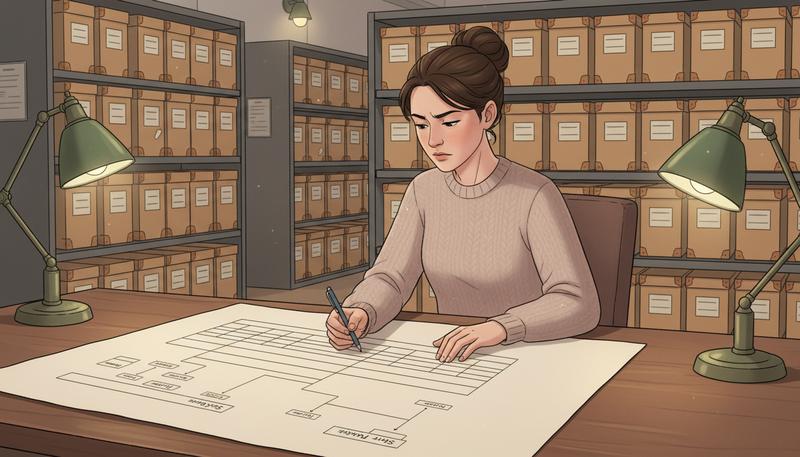
Anatomy of a Finding Aid
Finding aids have a standard structure, though the exact labels vary by institution. Here's what you'll typically encounter:
Title Page and Summary Information
The top of the finding aid tells you the basics: the collection's name, who created the materials, what repository holds it, the date range of the materials, the size of the collection (usually in linear feet or number of boxes), and what languages are represented. This section answers the question "is this the right collection?" before you read any further.
Pay close attention to the call number or collection number here. This is how the archive identifies the collection, and you'll need it when you request materials or correspond with staff.
Biographical or Historical Note
This is a narrative section — usually a few paragraphs — describing who created the collection or what organization generated it. For personal papers, it's a biography of the individual. For organizational records, it's a history of the institution.
Don't skip this section even if you already know your subject. Archivists write these notes specifically to help you understand the context that shaped the records. You'll often learn things here that affect your reading of the documents — that a county clerk changed jobs in 1937 and the recordkeeping style changed completely, or that a company reorganized and renamed its departments, which is why correspondence is split between two different series. The historical note is where you get the backstory that makes the documents make sense.
Scope and Content Note
This is the heart of the finding aid for most researchers. The scope and content note describes what types of materials are in the collection, what topics they cover, what time periods are strongest, and what's notably absent.
A well-written scope and content note is a gift. It might say something like: "The collection is particularly rich for the period 1942–1951, when [the creator] served on the county planning commission. The correspondence series includes letters to and from state officials regarding the highway expansion project. Researchers interested in the labor disputes of 1948 will find relevant materials in Series III, Boxes 12–15. Personal and family materials are sparse."
That paragraph just saved you hours. You know immediately where to focus, what to expect to find, and what you won't find.
Arrangement
This section tells you how the collection is organized — its intellectual structure. Most collections are divided into series, which are major groupings of related materials. A politician's papers might be arranged in four series: (1) Campaign Files, (2) Legislative Correspondence, (3) Constituent Mail, (4) Personal Papers. Each series might be further divided into subseries.
The arrangement reflects choices made by the archivist (and sometimes by the original creator of the records). Understanding the arrangement is crucial before you dive into the container list, because it tells you the logic behind the organization.
Remember: Archives try to maintain "original order" — the way the creator organized their records — whenever possible. This means a collection's organization often reflects how someone thought about their own work, which can be revealing in itself.
Access and Use Restrictions
This is the section researchers most often skip and most often regret skipping. It tells you whether any materials in the collection are restricted — meaning you can't see them — and why.
Restrictions come in several flavors:
- Donor restrictions: When a family donates a relative's papers, they often negotiate restrictions. "Personal correspondence after 1970 is closed until 2030" is a typical example.
- Privacy restrictions: Records containing personal medical information, social security numbers, or information about living individuals are often restricted under federal or state privacy law.
- Copyright: Some collections are open for research viewing but cannot be reproduced without permission from the copyright holder.
- Fragility: Extremely fragile materials may be restricted for preservation reasons. You'll be directed to a surrogate (microfilm, digital scan) if one exists.
- National security: For federal records, some materials may be classified or pending declassification review.
Read this section carefully before planning a research trip. Nothing is more frustrating than traveling to an archive expecting to read a specific set of letters and discovering at the reference desk that they're closed until 2035.
Warning: "Restriction" doesn't always mean you can never see something. Some restricted materials can be accessed with a signed agreement, a Freedom of Information request, or simply by asking for a review. Don't give up on restricted materials without asking the archivist what your options are.
Related Materials
Many finding aids include a section pointing to other relevant collections, either at the same repository or elsewhere. If you're researching a person, the related materials section might direct you to their employer's records, their spouse's papers, or a colleague's collection at a different archive. Archivists include these connections specifically to help you navigate outward to related sources. Use this section.
Container List
This is where the map gets detailed. The container list (also called the box and folder list) is a systematic enumeration of every box and folder in the collection, organized by series and subseries. Here's what a typical entry looks like:
Series II: Legislative Correspondence, 1944–1958

Box 7   Folder 1    State Highway Commission, 1944
Box 7   Folder 2    State Highway Commission, 1945
Box 7   Folder 3    State Highway Commission, 1946-1947
Box 7   Folder 4    Budget Committee — Appropriations, 1944
Box 7   Folder 5    Budget Committee — Appropriations, 1945-1946
...
Box 8   Folder 1    Federal Housing Authority, 1947
The container list tells you exactly what to request. When you fill out a call slip at the reference desk, you'll write something like "Collection 47-B, Box 7, Folders 1-3" and a staff member will retrieve those specific folders for you.
graph TD
    A[Finding Aid] --> B[Biographical/Historical Note]
    A --> C[Scope & Content Note]
    A --> D[Arrangement]
    A --> E[Access & Restrictions]
    A --> F[Related Materials]
    A --> G[Container List]
    G --> H[Series I]
    G --> I[Series II]
    H --> J[Box 1, Folder 1]
    H --> K[Box 1, Folder 2]
    I --> L[Box 7, Folder 1]
    I --> M[Box 7, Folder 2]
The level of detail in container lists varies enormously. Some are exhaustively specific — every folder listed individually with a date range and brief description of contents. Others are sparse: "Box 12: Correspondence, 1955-1960." In the sparse case, you often have to request the whole box and dig through it yourself. Neither approach is wrong; they just reflect different levels of resources and staff time that different repositories have available.
Tip: When a container list entry is vague, check the scope and content note. Archivists often describe the highlights of a poorly-listed series in the narrative sections, even when the container list doesn't show the detail.
How to Actually Read and Use a Container List
The mechanical process of using a container list sounds straightforward, but a few tricks will make you significantly more efficient.
Start with the scope and content note, not the container list. The scope and content tells you which series are relevant to your question. Only then should you turn to the container list to identify specific boxes and folders. Researchers who skip straight to the container list often miss materials hiding in an unexpected series.
Make a hit list before you arrive. Go through the container list systematically and write down every box and folder that looks relevant. Don't rely on your memory. Most archives limit the number of boxes you can have out at one time — often two or three — so you need to know in advance which ones to request first and which are lower priority.
Pay attention to date gaps. If the container list shows correspondence for 1944, 1945, 1946-1947, 1949, 1950... notice that 1948 is missing. Was 1948 uneventful? Was material lost or destroyed? Did the creator change filing systems? The gaps in a container list are often as interesting as the contents themselves.
Note when folders are described differently. If 95% of folders are labeled "Correspondence, [year]" and suddenly one is labeled "Correspondence — CONFIDENTIAL, 1952," that's worth requesting. The unusual label usually means someone thought the contents warranted special attention.
Check for oversized and audiovisual materials. Many collections include photographs, maps, or other materials too large to fit in standard folders. These are often stored separately and listed at the end of the container list or in a separate section. Easy to miss, potentially very valuable.
Access Restrictions in Practice
The access and use section deserves a deeper look because restrictions are one of the most misunderstood aspects of archival research.
Archives receive collections under different arrangements with donors and depositing agencies. A university archives might receive a faculty member's papers with the stipulation that all correspondence with students remain closed during the professor's lifetime. A historical society might have agreed to keep a donor family's financial records sealed for fifty years. A federal records center holds classified documents that require a security clearance or declassification review.
Beyond donor agreements, many archives apply restrictions based on the type of information contained in records. Personnel files, medical records, adoption records, and records about living individuals are commonly restricted under state or federal privacy law regardless of donor preferences.
What does this mean practically? A few things:
First, restrictions are documented in the finding aid, but sometimes incompletely. An archivist might note "some materials in this collection are restricted" without specifying exactly which folders. In that case, when you request materials, the archivist will flag the restricted items before you receive the box.
Second, restrictions can sometimes be waived or worked around. If materials are restricted for privacy reasons, you can often get access if you sign a use agreement promising not to publish identifying information. If materials are restricted by a donor agreement that has expired, ask — the archive may not have updated the finding aid. If materials were restricted and subsequently reviewed and opened, the same applies.
Third, "restricted" does not mean "destroyed." This matters especially for researchers doing sensitive work. A personnel file sealed for 75 years after an employee's termination is still there. When the restriction expires, you can request it. Plan your research timeline accordingly, and ask the archivist when restrictions expire.
The National Archives Research page provides guidance on restrictions specific to federal records, including how to request a mandatory declassification review for classified materials. We'll get into the mechanics of NARA's specific systems — including how federal records are organized by agency and how to search the National Archives Catalog — in the next section.
Finding Collections Across Repositories: ArchiveGrid and WorldCat
Once you've read a finding aid and understand what a given collection holds, the natural next question is: how do you find which archive holds what you're looking for in the first place? For collections at a single institution you already know about, the repository's own catalog or website is sufficient. But when you don't know which of the hundreds of archives across the country holds the records you need, two tools become indispensable.
ArchiveGrid (researchworks.oclc.org/archivegrid/) is the best tool for discovering archival collections across thousands of repositories. It aggregates finding aids from libraries, archives, and historical societies across North America and beyond — over 1,000 repositories contributing descriptions of approximately 5 million archival collections. If you're trying to find out where a specific person's papers are held, or which archive has records related to a particular organization or topic, ArchiveGrid is the place to start.
The search interface is simple: enter names, topics, or keywords, and ArchiveGrid returns collection-level descriptions with links to the full finding aids at the holding repositories. A search for a local labor organizer's name might surface their personal papers at a state historical society, a folder of correspondence in a union's institutional records at a different archive, and a mention in the papers of a contemporaneous politician's files — all from a single search.
WorldCat (worldcat.org) is primarily a library catalog, but it includes archival collections alongside books, journals, and other materials. Many archives load their collections into WorldCat as catalog records, making it another discovery layer. WorldCat is particularly useful for finding collections at university libraries, which often use it as their primary catalog.
For federal records specifically, there's a third tool — the National Archives Catalog — which works on different organizational principles than either ArchiveGrid or WorldCat. We'll cover it thoroughly in the next section when we dig into NARA as a whole.
Neither ArchiveGrid nor WorldCat is complete — not every archive contributes its holdings to these systems, and small local repositories may have no online presence at all. But they're the best starting point for cross-repository discovery, and a good researcher checks both before concluding that no relevant collection exists.
Tip: When you find a promising collection in ArchiveGrid, follow the link to the repository's own website to get the most current version of the finding aid. ArchiveGrid sometimes has outdated descriptions if a repository updated its finding aid after the last sync.
Submitting a Reference Request
You can't always visit an archive in person. Distance, budget, time, and access hours are all real constraints. The good news: most archives will do some amount of research on your behalf, or at minimum, copy specific documents you identify.
The key to a successful remote reference request is specificity. Archivists receive hundreds of requests and have limited time. A vague request — "I'm researching the history of Route 66 in Oklahoma, do you have anything?" — is hard to act on efficiently. A specific request — "I've identified the Oklahoma State Highway Department records (Series 47-C) in your collection. Based on the finding aid, Box 12, Folders 3-7 appear to contain correspondence about Route 66 right-of-way acquisitions, 1928-1934. Would it be possible to have copies of those materials? I'm happy to pay copying fees." — is actionable.
Before sending a request, do your homework:
- Read the finding aid completely. Identify the specific boxes and folders you want.
- Check if materials are already digitized. Many archives have digitized portions of their collections; you'd feel silly paying for copies of something available free online.
- Review the repository's policies. Most archives post their copying fees, turnaround times, and request limits on their websites. Some have online request forms; others want email.
- Be realistic about scope. Asking for a folder or two is reasonable. Asking for seventeen boxes to be scanned is a different conversation.
A well-crafted reference request email might look like this:
Dear [Repository Name] Reference Staff,
I am researching [topic] for [purpose — genealogy project, academic paper, local history book, etc.]. I have reviewed your finding aid for the [Collection Name] (Collection Number XX-XX) and identified the following materials as potentially relevant to my research:
- Box 7, Folder 3: [Description from finding aid]
- Box 7, Folder 5: [Description from finding aid]
Could you tell me whether these materials are available for research, and if so, what the process would be to obtain copies? I am happy to pay reasonable copying and processing fees.
I am also wondering if your staff are aware of any related materials in other collections that might be relevant to [topic].
Thank you for your time.
That last paragraph — asking about related materials — is worth including. Reference archivists often know their collections in ways that aren't captured in any finding aid, and a genuine research question sometimes prompts a helpful response like "actually, you'd be more interested in the [other collection] — we just processed it last year and the finding aid isn't published yet."
Building a Research Log
Here's where many independent researchers — genealogists especially — fall into a trap that costs them significant time: not keeping track of what they've searched.
A research log is a running record of what sources you've consulted, when, what you were looking for, and what you found (or didn't find). It sounds bureaucratic until the moment you can't remember whether you searched a particular database three months ago, or you try to retrace the steps that led to a breakthrough document and can't reconstruct your search path.
Your research log doesn't need to be fancy. A spreadsheet works well. At minimum, record:
- Date of search
- Repository or database searched
- Collection name and number (if archival)
- What you were looking for (the specific question, name, date range)
- Search terms used (for database searches)
- What you found (positive results with specific citations)
- What you didn't find (negative results are important — they prevent you from re-searching the same place)
- Follow-up needed
The research log serves multiple purposes. It prevents duplicate work. It helps you remember why you made certain decisions. It documents your methodology — important if you're publishing or sharing your research. And it accumulates into a record of your negative results, which is genuinely valuable: knowing that you searched a specific collection and found nothing is information, because it tells you the answer isn't there and you need to look elsewhere.
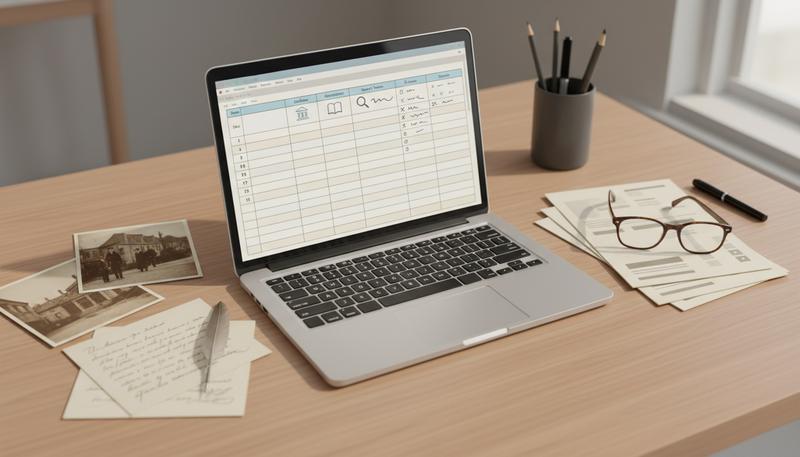
One practical addition to the basic log: note the finding aids you've reviewed, even for collections you ultimately didn't request. If a collection looked promising in ArchiveGrid but turned out to be irrelevant when you read the full finding aid, log that. You won't second-guess yourself later.
Remember: Documenting your negative results is just as important as documenting your finds. A research log that only records successes is half a research log.
Putting It All Together: A Research Workflow
Let's walk through what this looks like in practice. Suppose you're researching the history of a particular neighborhood in Cleveland during the 1940s — specifically, whether a certain factory there was involved in wartime production disputes.
You start with ArchiveGrid. You search for the factory's name and find a reference to company records at the Western Reserve Historical Society, plus a mention of labor arbitration records at the National Archives. You pull up both finding aids.
The Western Reserve finding aid is a web interface — collapsible series in a sidebar on the left, descriptions on the right. You click through to the "Personnel and Labor Relations, 1935-1958" series and expand it to find Boxes 14-17 labeled with union and arbitration-related folder titles. You note those box numbers and request digital scans of the relevant folders through the historical society's online request form.
For the NARA materials, you identify a record group covering wartime labor relations and note the relevant series. Rather than going deeper here, you bookmark the National Archives Catalog entry and flag it for when you're ready to engage with NARA's full organizational system — which, as it turns out, is exactly what the next section covers.
Meanwhile, you've opened your research log and documented all of this: the date, what you searched, what you found, what you requested, and what you're waiting to hear back on.
This is how archival research works when it works well. You're not wandering — you're navigating. The finding aid is your map, the research log is your trail marker, and the combination of specific knowledge and systematic documentation is what separates a productive research session from an afternoon of frustrated box-opening.
The beautiful thing is that once you know how to read a finding aid, that skill transfers instantly to any archive, any repository, any collection, anywhere in the country. The formats vary slightly — a printed binder here, a web interface there — but the underlying logic doesn't.
Only visible to you
Sign in to take notes.