Basic SQL Queries: SELECT FROM WHERE ORDER BY
Your First SQL Queries: SELECT, FROM, WHERE, and ORDER BY
Now comes the payoff. All that normalization work — breaking the pizza restaurant data into clean, non-redundant tables — was worth it precisely because of what happens next. A well-designed schema doesn't just sit there looking elegant; it makes querying the data straightforward, efficient, and almost readable. That's because SQL — Structured Query Language, pronounced either "S-Q-L" or "sequel," and yes, both camps will defend their pronunciation with surprising ferocity — is built specifically to work with the relational structure you just learned to create. It's the language you use to pull information out of those normalized tables and ask them real questions.
According to Wikipedia's history of SQL, it was originally called SEQUEL — Structured English Query Language — a name that tells you exactly what the designers were going for. They wanted it to read like English. They mostly succeeded. And here's the beautiful part: unlike most programming languages, SQL was designed from the beginning to be readable by humans who aren't necessarily programmers. That same clarity you built into your schema design? SQL lets you express it in a way that almost looks like a sentence.
Let's use it. We're going to start running queries against that pizza restaurant database and see what it can tell us.
Understanding SQL's Four Dialects
SQL is actually divided into four distinct categories, and knowing the difference helps you understand what each command is actually doing:
graph TD
    SQL["SQL"] --> DDL["DDL — Data Definition Language"]
    SQL --> DML["DML — Data Manipulation Language"]
    SQL --> DQL["DQL — Data Query Language"]
    SQL --> DCL["DCL — Data Control Language"]
    DDL --> DDL_ex["CREATE TABLE, ALTER TABLE, DROP TABLE"]
    DML --> DML_ex["INSERT, UPDATE, DELETE"]
    DQL --> DQL_ex["SELECT — querying data"]
    DCL --> DCL_ex["GRANT, REVOKE — permissions"]
-
DDL (Data Definition Language): The language of structure. You use DDL to create, modify, or delete tables and other database objects. The main commands are
CREATE,ALTER, andDROP. You use these when you're setting up your schema or changing its shape — not when you're working with the data inside it. -
DML (Data Manipulation Language): The language of changes.
INSERTadds new rows,UPDATEmodifies existing ones,DELETEremoves them. We'll cover these properly in a later section on transactions, but we'll useINSERTtoday so we have actual data to query. -
DQL (Data Query Language): The language of questions. This is where
SELECTlives, and it's the heart of what most people mean when they say "writing SQL." This is our primary focus today. -
DCL (Data Control Language): The language of permissions.
GRANTandREVOKEcontrol who can do what. Important in production systems with multiple users; not something you'll think about much when you're learning.
Today we're mostly doing DDL to build our tables, DML to populate them, and DQL to ask them questions.
Building Mario's Database
You've met Mario's pizza restaurant in earlier sections — the place where we learned about primary keys and foreign key relationships. Now we're going to build out two tables and actually fill them with data so we can run real queries against real information.
Here's what we're creating:
customers— everyone who has ever ordered from Mario'spizzas— every pizza on the menu
CREATE TABLE: Defining the Structure
The CREATE TABLE statement is DDL in action. It tells the database: here's a new table I want, here are its columns, and here are the rules about what goes in them.
CREATE TABLE customers (
    customer_id   INTEGER PRIMARY KEY,
    first_name    TEXT NOT NULL,
    last_name     TEXT NOT NULL,
    email         TEXT UNIQUE,
    phone         TEXT,
    city          TEXT,
    joined_date   TEXT
);
Let's read this like English, because we can:
customer_id INTEGER PRIMARY KEY— a whole number that uniquely identifies each customer. No two customers can have the same ID, and it can never be blank. This is our primary key (we met these back in Section 5).first_name TEXT NOT NULL— a text field that must have a value. You can't add a customer without a first name.email TEXT UNIQUE— a text field where every value must be different. No two customers can share an email address. (Note there's noNOT NULLhere — a customer might not give us their email, and that's okay.)phone TEXT— just a text field, no constraints. Optional.
Now the pizzas table:
CREATE TABLE pizzas (
    pizza_id      INTEGER PRIMARY KEY,
    name          TEXT NOT NULL,
    size          TEXT NOT NULL,
    price         REAL NOT NULL,
    is_vegetarian INTEGER
);
A few things to notice here: REAL is how SQLite stores decimal numbers. (PostgreSQL would use DECIMAL or NUMERIC; MySQL might use DECIMAL too — the exact data types vary slightly between database systems, which is one of the quirks you learn to navigate.) And is_vegetarian is stored as an INTEGER because SQLite doesn't have a native Boolean type — we'll use 1 for true and 0 for false.
INSERT INTO: Populating the Tables
Now let's add some data. The INSERT INTO statement puts new rows into a table.
INSERT INTO customers (customer_id, first_name, last_name, email, phone, city, joined_date)
VALUES
    (1, 'Sofia',   'Reyes',    '[email protected]',   '555-1001', 'Brooklyn',    '2022-03-15'),
    (2, 'Marcus',  'Chen',     '[email protected]',  '555-1002', 'Manhattan',   '2022-07-22'),
    (3, 'Priya',   'Patel',    '[email protected]',   '555-1003', 'Brooklyn',    '2023-01-10'),
    (4, 'James',   'Okafor',   NULL,                '555-1004', 'Queens',      '2023-04-05'),
    (5, 'Lena',    'Fischer',  '[email protected]',    NULL,       'Manhattan',   '2023-06-18'),
    (6, 'Tomás',   'Vargas',   '[email protected]',   '555-1006', 'Brooklyn',    '2021-11-30'),
    (7, 'Mei',     'Huang',    '[email protected]',     '555-1007', 'Queens',      '2022-09-14'),
    (8, 'David',   'Williams', NULL,                '555-1008', 'Staten Island','2023-08-01');
Notice James Okafor (row 4) has NULL for his email — he didn't give it to us. Lena Fischer (row 5) has NULL for her phone. We'll come back to NULL soon because it has some genuinely weird behavior that trips people up.
Now the pizzas:
INSERT INTO pizzas (pizza_id, name, size, price, is_vegetarian)
VALUES
    (1,  'Margherita',      'Small',  9.99,  1),
    (2,  'Margherita',      'Large',  14.99, 1),
    (3,  'Pepperoni',       'Small',  11.99, 0),
    (4,  'Pepperoni',       'Large',  16.99, 0),
    (5,  'Mushroom Truffle','Medium', 13.50, 1),
    (6,  'BBQ Chicken',     'Medium', 13.50, 0),
    (7,  'Four Cheese',     'Large',  15.99, 1),
    (8,  'Spicy Sausage',   'Small',  12.49, 0),
    (9,  'Garden Veggie',   'Large',  14.49, 1),
    (10, 'Meat Lovers',     'Large',  18.99, 0);
Excellent. Mario's database has data. Now let's ask it questions.
SELECT and FROM: The Core of Every Query
If SQL were a sentence, SELECT and FROM are the subject and verb — you almost always need both. SELECT tells the database which columns you want. FROM tells it which table to look in.
SELECT first_name, last_name
FROM customers;
This returns a list of every customer's name. Not their email, not their city — just first and last name. You asked for exactly those two columns, you get exactly those two columns.
Want all three name-and-contact fields?
SELECT first_name, last_name, email
FROM customers;
Simple. You just list the columns you want, separated by commas.
SELECT *: The Convenient Shortcut (Use with Caution)
There's a shortcut that says "give me everything":
SELECT *
FROM customers;
The asterisk is a wildcard meaning "all columns." This is extremely handy when you're exploring a new table and want to see what's in it. It's also what almost every SQL tutorial shows you first, which is why I want to be honest with you about its limitations.
Warning:
SELECT *is great for exploration, but can be a problem in production code. If your table has 40 columns and you only need 3, you're pulling 37 extra columns of data for no reason — wasting memory, network bandwidth, and time. Name your columns explicitly in anything that matters.
For learning and exploration? SELECT * is your friend. For a query running a thousand times a day? Name your columns.
WHERE: Filtering the Universe Down to What You Need
This is where things get genuinely powerful. WHERE filters rows — it lets you say "not all customers, just the ones that match this condition."
SELECT first_name, last_name, city
FROM customers
WHERE city = 'Brooklyn';
Result: Sofia Reyes, Priya Patel, and Tomás Vargas. The three Brooklyn customers. Everyone else is filtered out.
The WHERE clause is the most important filtering tool you'll use in SQL. You'll use it in practically every meaningful query you ever write.
Comparison Operators
WHERE conditions use comparison operators that look almost identical to what you'd write in math:
| Operator | Meaning | Example |
|---|---|---|
= |
Equal to | WHERE city = 'Brooklyn' |
<> or != |
Not equal to | WHERE city <> 'Manhattan' |
> |
Greater than | WHERE price > 15.00 |
< |
Less than | WHERE price < 12.00 |
>= |
Greater than or equal | WHERE price >= 15.99 |
<= |
Less than or equal | WHERE price <= 10.00 |
Let's try some real queries on Mario's data:
-- All pizzas that cost more than $15
SELECT name, size, price
FROM pizzas
WHERE price > 15.00;
This would return Pepperoni Large ($16.99), Four Cheese Large ($15.99), and Meat Lovers Large ($18.99).
-- All small pizzas
SELECT name, price
FROM pizzas
WHERE size = 'Small';
Returns Margherita Small, Pepperoni Small, and Spicy Sausage Small.
AND, OR, and NOT: Combining Conditions
Real questions are rarely about one condition. You can combine conditions with AND, OR, and NOT.
AND means both conditions must be true:
-- Large pizzas that cost less than $16
SELECT name, price
FROM pizzas
WHERE size = 'Large'
  AND price < 16.00;
This returns Margherita Large ($14.99) and Garden Veggie Large ($14.49). Meat Lovers ($18.99) and Pepperoni Large ($16.99) are excluded because they cost more than $16. Four Cheese ($15.99) is less than $16.00, so it's included. Our result: Margherita Large, Garden Veggie Large, and Four Cheese Large.
OR means either condition can be true:
-- Customers in Brooklyn OR Queens
SELECT first_name, last_name, city
FROM customers
WHERE city = 'Brooklyn'
   OR city = 'Queens';
This catches all the Brooklyn customers (Sofia, Priya, Tomás) and all the Queens customers (James, Mei).
NOT reverses a condition:
-- All pizzas that are NOT vegetarian
SELECT name, size, price
FROM pizzas
WHERE NOT is_vegetarian = 1;
Or more naturally:
SELECT name, size, price
FROM pizzas
WHERE is_vegetarian = 0;
Both work. The second is cleaner. NOT tends to be most useful with more complex conditions like NOT IN or NOT BETWEEN, which you'll encounter as you go deeper.
Tip: When mixing AND and OR, use parentheses to make your intent crystal clear. SQL has operator precedence rules (AND binds tighter than OR), but "crystal clear" beats "technically correct but confusing" every time.
WHERE city = 'Brooklyn' OR (city = 'Queens' AND joined_date > '2022-01-01')is much easier to reason about than the same thing without parentheses.
ORDER BY: Sorting Your Results
By default, a database returns rows in whatever order it feels like — usually the order they were inserted, but don't count on it. If you care about order (and you usually do), you need ORDER BY.
-- All pizzas sorted by price, cheapest first
SELECT name, size, price
FROM pizzas
ORDER BY price ASC;
ASC means ascending (low to high). It's also the default, so you can omit it.
-- All pizzas sorted by price, most expensive first
SELECT name, size, price
FROM pizzas
ORDER BY price DESC;
DESC means descending (high to low). You have to specify this one explicitly.
You can sort by multiple columns, which is useful when you have ties:
-- Sort by size first, then by price within each size
SELECT name, size, price
FROM pizzas
ORDER BY size ASC, price ASC;
This groups all Larges together sorted by price, all Mediums together sorted by price, all Smalls together sorted by price. Alphabetical on size, which puts Large before Medium before Small — not ideal for a menu, but you get the idea.
You can also order by a column you're not displaying:
SELECT first_name, last_name, city
FROM customers
ORDER BY joined_date ASC;
This shows name and city, but sorts by when they joined — Tomás first (2021), then the others in chronological order. The joined_date column doesn't need to appear in the SELECT to be used in ORDER BY.
LIMIT: Just Give Me the Top N
What if you want the top 3 most expensive pizzas? Or the 5 most recent customers? LIMIT caps how many rows you get back.
-- The 3 most expensive pizzas
SELECT name, size, price
FROM pizzas
ORDER BY price DESC
LIMIT 3;
Result: Meat Lovers Large ($18.99), Pepperoni Large ($16.99), Four Cheese Large ($15.99). Done.
-- The 5 most recently joined customers
SELECT first_name, last_name, joined_date
FROM customers
ORDER BY joined_date DESC
LIMIT 5;
LIMIT almost always comes after ORDER BY — because you want to limit after sorting, not before. "Give me the top 5" means "sort first, then take the first 5."
This is also how you'd do pagination in an application — but that involves OFFSET too, which we'll leave for another day.
NULL: The Value That Means "No Value"
We inserted some NULL values earlier — James's email and Lena's phone. Now let's talk about what NULL actually is, because it behaves in ways that regularly surprise people.
NULL doesn't mean zero. It doesn't mean an empty string. It means unknown or not applicable. James didn't fail to have an email address — he just didn't give it to us. The value is absent.
This has a counterintuitive consequence: you can't compare NULL with an equals sign.
-- This does NOT work the way you'd expect
SELECT * FROM customers WHERE email = NULL;   -- Returns nothing!
This returns no results, even though two customers have NULL emails. Why? Because NULL compared to anything — even to itself — is unknown, not true or false. It's database philosophy: "Is unknown equal to unknown? We don't know." The condition evaluates to unknown, which gets treated like false.
To check for NULL, you use IS NULL or IS NOT NULL:
-- Customers who haven't given us their email
SELECT first_name, last_name
FROM customers
WHERE email IS NULL;
This correctly returns James Okafor and David Williams.
-- Customers who have given us their email
SELECT first_name, last_name, email
FROM customers
WHERE email IS NOT NULL;
This returns everyone else — the six customers with emails on file.
Warning:
NULL = NULLevaluates to unknown, nottrue. This is one of the most common gotchas in SQL. Always useIS NULLorIS NOT NULLwhen checking for absent values — never= NULL.
Putting It All Together: Answering Real Business Questions
Let's work through some queries that Mario might actually care about. These combine everything we've covered — SELECT, FROM, WHERE, ORDER BY, and LIMIT — into queries that answer real questions.
"Which of our pizzas are affordable vegetarian options?"
SELECT name, size, price
FROM pizzas
WHERE is_vegetarian = 1
  AND price < 15.00
ORDER BY price ASC;
Mario can use this to highlight budget-friendly meatless options on the menu.
"Who are our longest-standing customers in Brooklyn?"
SELECT first_name, last_name, joined_date
FROM customers
WHERE city = 'Brooklyn'
ORDER BY joined_date ASC;
Sorted oldest first — these are the loyalists Mario should be sending birthday coupons to.
"What's our most expensive pizza?"
SELECT name, size, price
FROM pizzas
ORDER BY price DESC
LIMIT 1;
One row. Meat Lovers Large at $18.99. Boom.
"Which customers don't have a phone number on file?"
SELECT first_name, last_name, email
FROM customers
WHERE phone IS NULL;
Just Lena Fischer. Mario might want to give her a call... except he doesn't have her number, which is exactly the problem.
The Query Execution Order (It's Not What You'd Expect)
Here's something that catches almost everyone the first time: the order you write a SQL query is not the order the database executes it.
graph LR
    A["1. FROM\n(get the table)"] --> B["2. WHERE\n(filter rows)"]
    B --> C["3. SELECT\n(pick columns)"]
    C --> D["4. ORDER BY\n(sort results)"]
    D --> E["5. LIMIT\n(cap rows)"]
You write SELECT first, but the database processes FROM first (it needs to know which table to look at), then WHERE (filter the rows), then SELECT (pick the columns from what's left), then ORDER BY (sort), then LIMIT (cap).
This matters practically because it explains some errors you'll encounter — like trying to use a column alias in WHERE and having the database complain it doesn't know what you're talking about. (Aliases are defined in the SELECT step, which hasn't happened yet when WHERE runs.) Understanding this mental model saves real debugging time.
The Satisfying Part: Scale Is Free
Here's something worth pausing on. Everything we've done in this section — filtering, sorting, limiting — runs the same way whether your table has 8 rows or 8 million rows.
When Mario's database grows from 8 customers to 80,000, the query:
SELECT first_name, last_name, city
FROM customers
WHERE city = 'Brooklyn'
ORDER BY joined_date ASC;
...still returns the right answer. The same syntax. With a proper index on the city column (which we'll cover in Section 12), it returns that answer in milliseconds — not because you wrote a cleverer loop, but because the database engine you're talking to via SQL has already figured out the optimal way to answer that question. You described what you wanted. It figured out how.
PostgreSQL's documentation describes this as one of its core promises — the SQL interface stays consistent and human-readable while the engine handles optimization underneath. That division of labor is, genuinely, one of the more elegant ideas in software engineering.
The first time you hit enter on a query over a million-row table and see the result appear before you've even finished the thought "I wonder how long this will take" — that's the moment SQL becomes a superpower rather than a syntax to memorize.
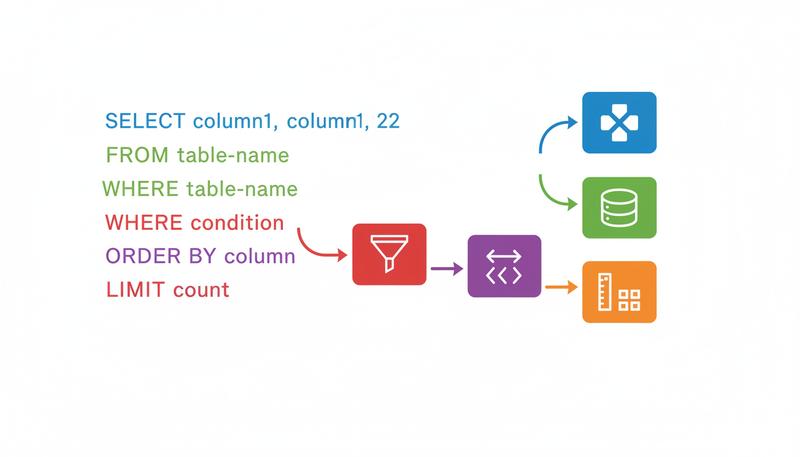
Quick Reference: The Anatomy of a Query
Before we move on to JOINs, here's the skeleton you'll use over and over:
SELECT column1, column2, ...     -- Which columns? (or * for all)
FROM table_name                  -- Which table?
WHERE condition                  -- Which rows? (optional but common)
ORDER BY column ASC|DESC         -- In what order? (optional)
LIMIT n;                         -- How many rows? (optional)
Every clause is optional except SELECT and FROM. The simplest possible query is:
SELECT pizza_id FROM pizzas;
The most complex query in this section is still just assembling these same pieces. That's the elegance of it.
In the next section, we're going to add the most powerful tool in the relational database arsenal: JOIN. Once you can pull data from multiple tables in a single query, you'll understand why the whole relational model was worth building in the first place.
Only visible to you
Sign in to take notes.