How to Build a Game Prototype You Can Actually Play
You've just finished your one-page design document — that distilled blueprint of your game's core idea, mechanics, and emotional target. That document is a promise you're about to keep. Now comes the part that separates people who finish this course with an actual game from people who finish it with only ideas: building something you can hold in your hands (or click through on a screen) and actually play.
Here's the thing nobody tells you about prototypes at first: the goal is not to make something good. The goal is to make something testable. Those are completely different things, and confusing them is the number one reason game projects die before they get off the ground. Your design document described your game's concept. Now it's time to make it real enough to test. Not polished. Not impressive. Just playable. This section is your guide to doing that as fast and resourcefully as possible — whether you're designing a board game, a card game, or a digital experience.
Let's talk about what a prototype actually is, then we'll get our hands dirty.
The Napkin Prototype Philosophy
Speed is your friend here, because it forces you to strip away everything except the core idea. The napkin prototype philosophy lives by a simple rule: if you can't describe and roughly simulate your core mechanic in five minutes with whatever's on hand, you probably don't understand it clearly enough yet.
The name comes from the old cliché of the idea scrawled on a napkin — but the philosophy goes deeper than that. It's about ruthless prioritization. What is the one thing your game does that no other game quite does the same way? Build that first. Build it ugly. Build it today.
Here's a concrete example. Say your design document describes a game about resource negotiation between players, where the central tension is deciding when to trade and when to hoard. You don't need a fancy board. You don't need custom cards. You need:
- A handful of small objects in three different colors (paper clips, coins, scraps of paper — literally anything will work)
- A rough rule you can explain in two sentences
- Two people willing to sit across a table for ten minutes
That's your napkin prototype. Play it. See what happens. Then decide whether it's worth building something more elaborate.
The Game Developer blog makes this point clearly when discussing playtesting: "Many designers support moving to an initial playtest as fast as possible... Actually seeing the game in action is going to be a better picture than all your theoretical models." The sooner you move from theory to play, the sooner you start learning real things.
This applies equally to digital games. A puzzle platformer that seems perfectly designed in your head will reveal its problems the moment someone actually jumps around in it — or the moment you simulate the jumping with index cards on a table. The medium changes; the principle doesn't.
Materials and Tools: The Rapid Prototyping Toolkit
If you're building a board or card game prototype, your materials list is simpler and cheaper than you might expect. Here's what I'd recommend gathering before you start:
The Core Kit:
- Index cards (3×5 and 4×6) — These are the workhorses of card game prototyping. They're stiff enough to hold, easy to write on, and absurdly cheap. A hundred-card deck costs almost nothing.
- Sticky notes — Perfect for tiles, location markers, and any game element that might shift position during testing.
- Regular dice (d6) — You probably have some already. For non-standard dice, a free dice-rolling app on your phone works just fine during early testing.
- Poker chips or small tokens — For resources, hit points, currency, or any countable quantity. No poker chips? Coins work. So does torn paper.
- A Sharpie and a pencil — Sharpie for things you're confident about, pencil for things you expect to change (which, at this stage, is everything).
- Painter's tape or masking tape — For marking out board spaces, assembling a quick board, or attaching notes to surfaces.
- A printer (optional) — If you want to print card layouts from a template, great. Hand-written works just fine at this stage.
For More Complex Games:
- Blank hex tiles (cheap on Amazon) if you're building a map-based game
- A bag of wooden cubes or meeples — cheap, and they photograph well if you ever want to document your prototype
- A whiteboard or large sheet of paper for sketching out a quick game board
The key principle: don't buy anything special before your first playtest. Use what you have. If the mechanic survives actual play, then you invest in nicer materials.
One more thing worth saying explicitly: if you're designing a digital game, physical prototyping is still often the fastest way to test certain ideas. Drawing your level on graph paper, simulating enemy movement with tokens, and walking through player decisions by hand can reveal design problems in an afternoon that would take days to discover in code. Paper is the original rapid prototyping tool, and it doesn't care what platform your final game runs on.
graph TD
    A[Core Idea from Design Document] --> B[Identify Core Mechanic]
    B --> C[Build Napkin Prototype with Available Materials]
    C --> D[Solo Playtest - Observe & Note]
    D --> E{Core Mechanic Works?}
    E -->|Yes| F[Add One More Layer / Rule]
    E -->|No| G[Revise the Mechanic]
    F --> D
    G --> C
Digital Prototyping: Two Tracks
Whether you're designing a tabletop game and want to test it remotely, or you're sketching out a digital game without writing a line of code, digital tools can bridge the gap between idea and playable prototype. The options split into two tracks: tools for digitizing tabletop designs, and tools for roughing out digital game concepts. Both tracks are more accessible than you might think.
Track One: Testing Tabletop Designs Digitally
Tabletop Simulator is probably the most powerful tool here. It's a paid Steam game (around $20) that lets you create a virtual tabletop with any combination of cards, tiles, dice, and tokens. You don't write code — you upload images, drag components onto a table, and play. It supports multiplayer, so you can playtest with friends across the country. Most people can get a basic prototype running in an afternoon.
Tabletopia is a browser-based alternative to Tabletop Simulator, and it's free for basic prototyping. It's slightly less flexible but requires no download, which can lower the friction for your playtesters.
Google Slides or PowerPoint is the underrated hero of early digital prototyping. Seriously. Each slide is a game state. You can create "cards" as text boxes, move them around, and share the file instantly. It's clunky, but fast, and for testing a card draft mechanic or a negotiation game, it works surprisingly well. I've seen functional worker placement game prototypes built entirely in Google Slides.
Spreadsheets (Google Sheets or Excel) are genuinely excellent for testing the math of a game — economies, resource systems, probability distributions, point scoring — before you've built anything physical. If your game involves a complex resource system, spending an hour in a spreadsheet checking whether your economy makes sense is much cheaper than discovering the problem at the table. You can simulate dice outcomes, model resource generation rates, and spot balance issues before they become embarrassing.
Track Two: Prototyping Digital Games Without Code
If you're designing a video game, you don't need to learn to program before you can test ideas. There's a whole ecosystem of tools designed exactly for people who want to make something playable without writing code from scratch.
Twine is a free, browser-based tool for building interactive stories and decision-tree games. You write passages of text, connect them with links, and suddenly you have a working branching narrative — no programming required beyond some simple syntax. If your game concept involves meaningful choices, dialogue systems, or branching paths (think visual novels, adventure games, or any game with narrative weight), Twine lets you test those decision structures almost instantly. You can share the result as a webpage and get feedback from anyone. The tool is deliberately minimal, which forces you to focus on whether your choices actually feel meaningful rather than getting lost in implementation details.
Bitsy is a tiny browser-based tool for making small, lo-fi games with a simple grid-based world, pixel characters, and dialogue. It's constrained by design — tiny resolution, limited graphics — and that constraint is a feature, not a bug. Bitsy lets you prototype the feel of exploration, dialogue, and basic world-building without any coding. If you want to test whether moving through a space and encountering characters creates an emotional texture you like, Bitsy will tell you in a few hours.
Scratch (from MIT) is technically aimed at kids learning to code, but don't let that stop you. It has a visual, block-based programming interface that lets you build surprisingly complex games — platformers, shooters, puzzle games — through drag-and-drop logic. For testing movement mechanics, collision systems, or basic game loops in a 2D environment, Scratch is fast and forgiving. The learning curve is shallow enough that you can have something moving around a screen within an hour.
GDevelop occupies a slightly more advanced tier — it's a full 2D game engine with a no-code event system. You define "if this happens, then do that" rules without writing scripts. For prototyping action games, platformers, or top-down mechanics, GDevelop is powerful enough to test real gameplay questions while remaining accessible to non-programmers. It's free for basic use.
Paper prototyping for digital UI and level design deserves a special mention even in this section. Before building anything interactive, sketch your game's interface on paper and simulate a player "clicking" through it. Draw your levels on graph paper and physically move a token through them, noting where the design creates interesting decisions and where it creates frustration. This sounds almost comically low-tech, but it's genuinely used by professional game studios to test ideas quickly. You can simulate a level layout, an inventory system, or a menu flow with paper cutouts and a willing friend in twenty minutes — and the insights translate directly to the digital version.
The through-line across all these tools: you're not making a game people will play, you're making a tool that lets you test an idea. That distinction matters enormously.
Prototyping Your Core Mechanic in Isolation
This is one of the most valuable skills you can develop, and one of the least intuitive: before you build your full game, build only the part you're most uncertain about.
Say your game has three systems — movement, resource management, and combat — and you're most worried about whether the resource management creates interesting decisions. Build a prototype that tests only that. Strip out everything else. No movement, no combat. Just resource management, as bare and exposed as possible.
This is sometimes called a "mechanics testbed" or "breadboard prototype" (borrowed from electrical engineering, where you prototype circuits on a reusable board before committing to a final design). The idea is to test a component in isolation before trusting it in a larger system.
Why? Because when you test everything at once, you can't isolate which parts are causing problems. If the playtest feels bad, is it the combat? The resource rules? The player interaction? You don't know. But if you've tested the resource system alone and it felt good, you can start ruling out suspects when things go wrong in the full prototype.
Practically, it looks like this:
- Pick the mechanic you're most uncertain about (or most excited to test)
- Design the minimum ruleset needed to exercise that mechanic
- Build only that — no story, no win condition beyond "see if this is interesting"
- Play it for ten or fifteen minutes
- Take notes on what happened
This also applies to the game theory concepts we covered earlier. If your game is supposed to create a Prisoner's Dilemma tension — where cooperation is best for the group but defection is tempting individually — you can test that in isolation with two players, two choices, and a simple payoff chart. Does the dilemma actually feel like a dilemma? Or does one option dominate so obviously that it's not really a choice? You'll know in twenty minutes if you build the minimal version first. The same logic holds for a digital game: if you're trying to create meaningful stealth mechanics, build a tiny room with one enemy and one player character and test just that interaction before building the whole level.
Common Prototyping Mistakes (And How to Avoid Them)
Let's talk about where this process typically goes wrong. Most mistakes share a common root: treating the prototype as the product.
Mistake #1: Making It Too Pretty Too Soon
You've spent four hours making beautiful card frames in Canva. The iconography is consistent. The color scheme is perfect. And now you can't change the mechanic on those cards because it would mean redoing all that work.
This is the prototyping trap in its purest form. The beautiful prototype has become its own sunk cost, and you're now designing around the art instead of designing the best game. As game design fundamentals resources consistently emphasize, beginners "often spend weeks on graphics or storyline before deciding the gameplay is boring." The order matters: test first, beautify later. This applies just as much to digital prototypes — spending weeks getting your pixel art just right before you know whether the core loop is fun is the same mistake wearing different clothes.
Rule of thumb: if your prototype contains any element that would make you reluctant to tear it up and start over, you've over-invested too early.
Mistake #2: Adding Rules Before Testing Existing Ones
When a playtest feels slow or flat, the instinct is often to add something. More rules, more options, more cards, more features. Usually the problem isn't a lack of content — it's that what exists isn't working yet. Adding complexity to a broken core mechanic doesn't fix the core; it just obscures the problem and makes diagnosis harder.
When something isn't working, remove things before you add things. Simplify. Reduce to the essential core. Then test again.
Mistake #3: Solving Problems Without Diagnosing Them
You play your prototype, something feels off, and you immediately reach for a fix. Natural — you want the game to work. But if you change three things between playtests, you don't know which change fixed the problem (or caused a new one). Change one thing at a time. Test. Observe. Then change the next thing.
This connects directly to what experienced designers call the "scattershot testing" problem: rather than trying to solve everything at once, look for what's going right and replicate it. The bright spots tell you just as much as the broken parts.
Mistake #4: Waiting Until the Game Is "Ready" to Test
There's no such thing as ready. There's only "ready to test this specific question." If you're waiting to playtest until every rule is in place and every edge case is handled, you will never playtest. The game isn't ready — it's never ready — but you can always find something specific to test right now.
Solo Playtesting: Playing Against Yourself
Before you involve other people, play your prototype yourself. This sounds obvious but is frequently skipped, and that's a mistake.
Solo playtesting (sometimes called "solitaire testing") serves a specific purpose: making sure the game is physically playable before you waste someone else's time on it. You're checking that the rules are clear enough to follow, that the materials work the way you intended, and that the basic experience doesn't collapse in the first five minutes.
When you solo playtest, try to play as naively as possible — not using your knowledge of the design to make "smart" decisions, but instead playing somewhat randomly and seeing if the game holds together. This is genuinely hard because you know too much. You know why each rule exists. This is called the curse of knowledge, and it's one of the reasons solo playtesting only gets you so far.
Here's what to watch for:
- Dead decisions: moments where one choice is obviously correct, leaving you with nothing interesting to consider
- Rulebook gaps: moments where you're not sure how a rule applies (write these down immediately)
- Pacing problems: is the game moving at roughly the right speed, or does it drag or rush?
- Material problems: do your cards/tiles/tokens work physically? Are they the right size? Do they feel right?
- The fun moment: this is subjective, but — is there any instant during play that makes you think, oh, that's interesting? Even once is a good sign.
Set a timer for your intended play session length and don't stop until it goes off, even if things feel broken. The full experience matters, including the ending.
Keeping a Design Journal
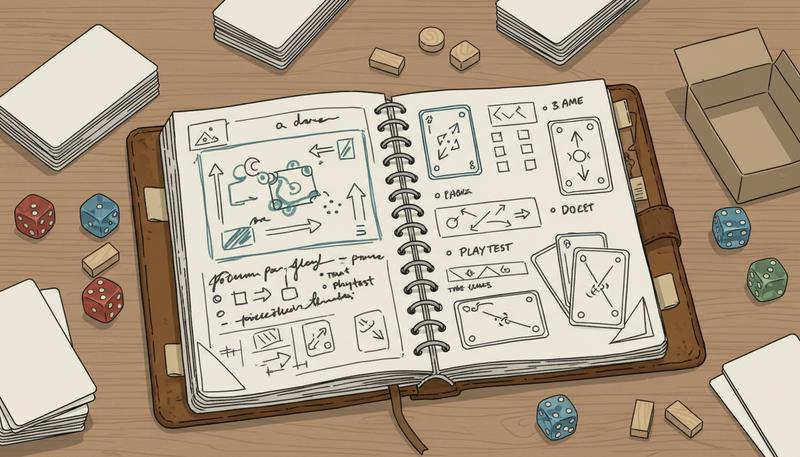
From the moment you sit down with your prototype, keep a record of everything you observe. Your design journal is one of the most valuable habits you can build.
The format doesn't matter. A physical notebook is lovely. A running Google Doc works fine. Voice memos work if you think faster than you type. What matters is that observations get captured while they're fresh, because you will not remember the specifics later. "The trading felt broken" is less useful than "During round 3, both players accumulated wood so fast that the scarcity mechanic never kicked in — players didn't need to trade because they already had enough."
A simple structure for design journal entries after a playtest:
- Date and prototype version — so you can track your iteration history
- What you were testing — the specific question you were trying to answer
- What happened — descriptive, not evaluative. What did players actually do?
- What you observed — what moments stood out, good or bad?
- Questions raised — new unknowns that emerged from this session
- Changes to consider — potential responses, noted but not yet implemented
The last two items are crucial. Every playtest should raise new questions, and writing them down prevents you from losing the thread between sessions. And separating "changes to consider" from "changes I'm making right now" forces you to be deliberate about what you change and why.
Over time, your design journal becomes an archaeological record of your game's evolution. When you wonder why a certain rule exists, you can look back and find the moment you decided to add it and what problem you were solving. This is invaluable for not repeating the same mistakes.
The Iterative Mindset: Every Prototype Is a Question
Here's the reframe that changes everything: you are not building your game. You are building a series of experiments that will eventually tell you what your game should be.
This sounds subtle, but it's enormously liberating. If you're building your game, every change feels like an admission of failure. Every broken mechanic is a flaw in something you've committed to. The emotional stakes are high, and that makes you defensive rather than curious.
If you're running experiments, a broken mechanic isn't a failure — it's a data point. "The trading didn't create meaningful tension" is information. It tells you something real about how that mechanic behaves, and that's exactly what you needed to know. Now you know something you didn't before. That's progress, even when it doesn't feel like it.
This iterative mindset separates designers who finish games from designers who have a beautiful prototype that's been "almost ready" for three years.
Each prototype version should have a clear question it's designed to answer. Version 1: "Is the core trading mechanic interesting at all?" Version 2: "Does adding time pressure change how players approach trading?" Version 3: "Does the new card distribution fix the resource scarcity problem from last time?" Each iteration is a hypothesis and a test. The game gets better because you keep learning, not because you got it right the first time.
graph LR
    A[Question / Hypothesis] --> B[Build Prototype]
    B --> C[Playtest]
    C --> D[Observe & Record]
    D --> E[New Question Emerges]
    E --> A
The circle never fully closes — that's the point. You're always learning, always iterating. The game ships not because you've run out of questions, but because you've answered the most important ones and you're happy with where they've taken you.
Exercise: Build Your First Prototype
This is where you stop reading and start making something.
Take your design document from the previous section — your core concept, your central mechanic, your intended player experience. Now do the following:
Step 1: Identify the one mechanic you most want to test. Not the whole game. One thing. The decision your game hinges on. Write it in one sentence.
Step 2: Choose your medium. Board or card game? Grab index cards, sticky notes, tokens, and dice. Digital game? Pick one tool from the list above that fits your concept — Twine if it's narrative, Scratch or GDevelop if it involves movement or action, paper-and-graph-paper if you want to test a level or UI flow. You have what you need.
Step 3: Build the minimum version. What's the simplest possible form of this mechanic? Strip away everything that isn't essential to the core decision you want to test. If it takes more than thirty minutes to build, you're building too much.
Step 4: Play it. Alone first. For ten to twenty minutes. Play through rounds even if it feels broken. Take notes as you go.
Step 5: Write a journal entry. What happened? What did you observe? What questions does this raise? What's one thing you'd want to change before the next session?
That's it. That's your first prototype. It doesn't matter if it's rough — of course it's rough. The roughness is the point. You built a question out of cardboard and paper, or pixels and links, and you got an answer. Do it again tomorrow with a slightly different question.
The game is already more real than it was when it was only an idea. Everything from here is iteration.
Only visible to you
Sign in to take notes.